Getting to know PersonalFinanceLab just got a whole lot easier!
For Fall 2026, we are proud to announce our new Teacher Onboarding Flow – quick help and mini-guides to help teachers get their classes off on the right foot, without hours of demos or reading through complicated teacher guides.
New Teacher Onboarding – How It Works
Our previous teacher onboarding flow dropped teachers straight into Class Creation the first time they logged in, with the option for “Manual” or “Express” set-up.
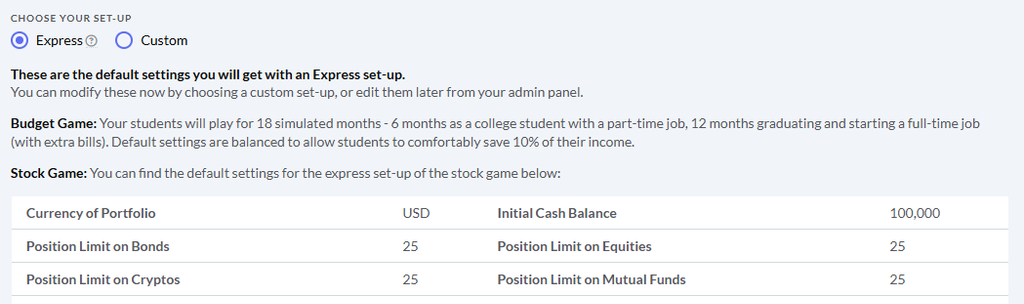
The “Express” setup can help get your classes up and running quickly with our recommended settings, but teachers unfamiliar with PersonalFinanceLab might still be a bit lost in what exactly they set up.
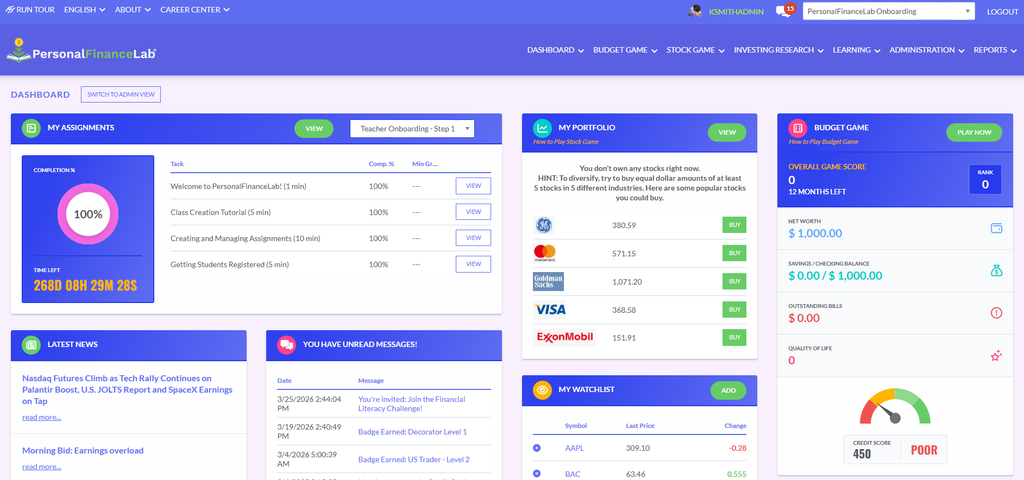
With our new onboarding system, teachers instead start already registered into a “Demo Session” – and are taken to the Student Dashboard the first time they log in.
This new flow has 3 major advantages over the previous system:
You Experience PFinLab For The First Time Just As Your Students Will
You are taken straight to the student dashboard, and can immediately see an Assignment, your demo Stock Game, and your demo Budget Game waiting for you – exactly as your students will the first time they log in. This gives you more insight into what their experience will be, and make you better able to point them in the right direction if they are immediately lost.
You Can Preview The Platform – Without Cluttering Your Reports.
This also means you have the opportunity to play the games before setting up your own class – giving you a much clearer idea of what the various settings you can select when setting up your class actually “do”.
Previously teachers would frequently set up their own “demo session” to get this experience (which could clutter up their reports later) – the new Onboarding Sandbox keeps your class reports clean while letting you “play around” before setting up your finalized class settings.
Onboarding Assignment – Help Just For You
Best of all, the Onboarding Session has two custom assignments, set up explicitly for first-time teachers:
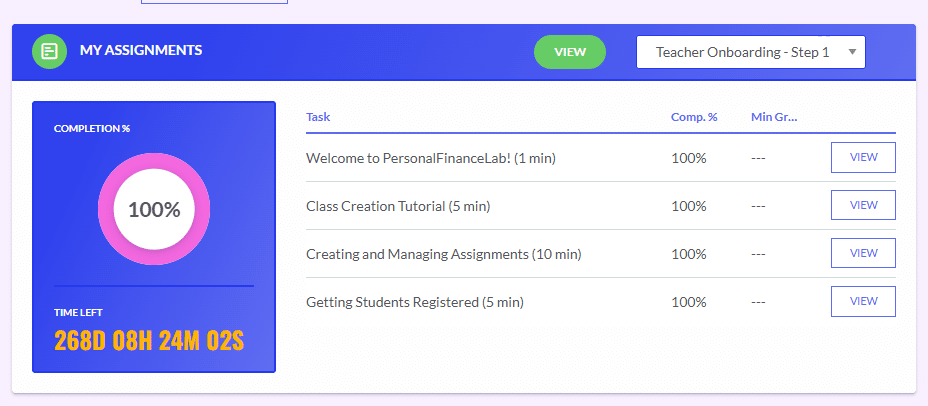
This is in place with the lessons and activities from our curriculum library that you would be assigning your students later.
This custom assignment has the “bare bones” information you need to successfully set up your class, while allowing you to dive deeper on any topic for which you need more help.
The information in this short assignment comes from our Teacher Resource Center, which is still available at any time, but this assignment pulls out the “most essential” elements to help you get your classes off to a running start (and points you to deeper resources, if you want to explore).
The “Onboarding Assignment” finishes with a direct task to set up your first class – and supplemental guides with lesson plans, course outlines, and more resources (if you need them), along with a “quick link” to book a meeting with your personal account manager if you have any other questions or need a personalized walkthrough.
We are super excited for this improvement to the new teacher experience!
Happy Learning!
-The PFinLab Team