There are a lot of new enhancements that will improve how both teachers and students use PersonalFinanceLab!
Spring 2022 Key Updates
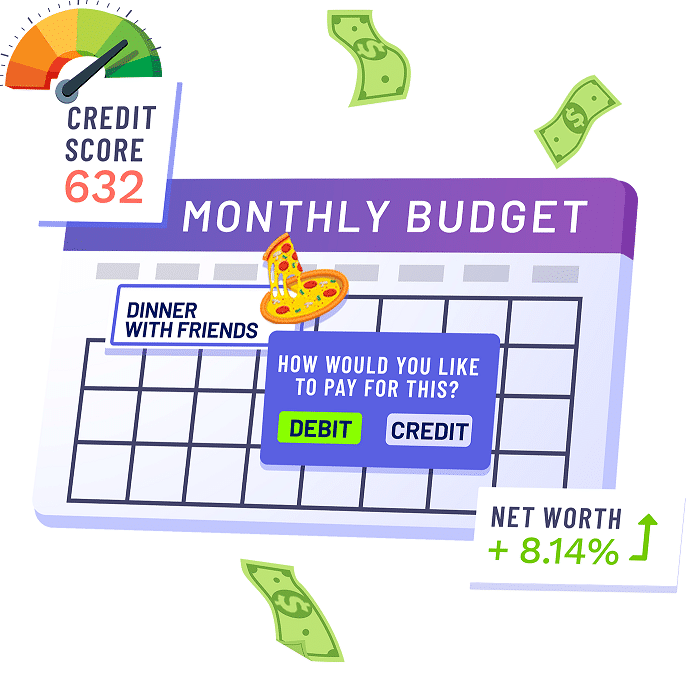
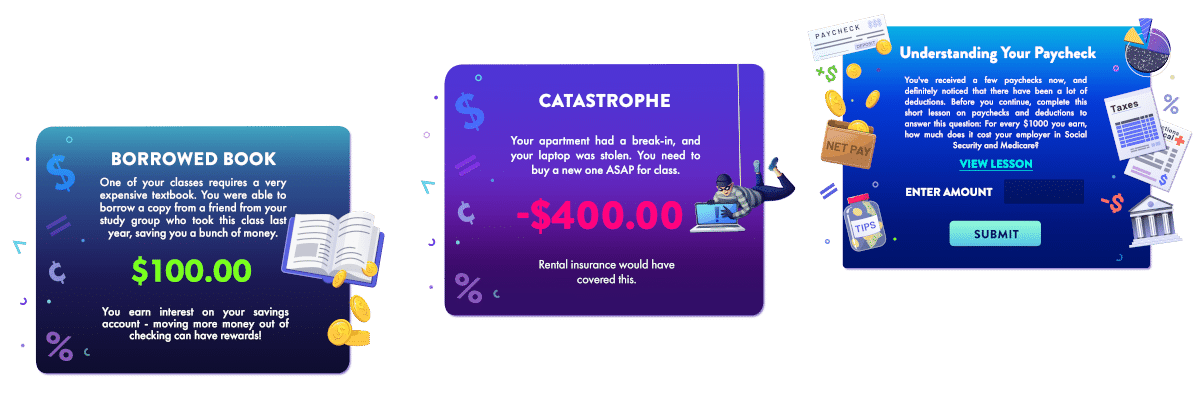
Dozens of new graphics for event cards
Lesson Cards have been improved with multiple-choice quizzes
Personal Finance curriculum has new sub-units based on the Jumpstart/Council for Economic Education standards. Each sub-unit has a short introduction and short unit review quiz.
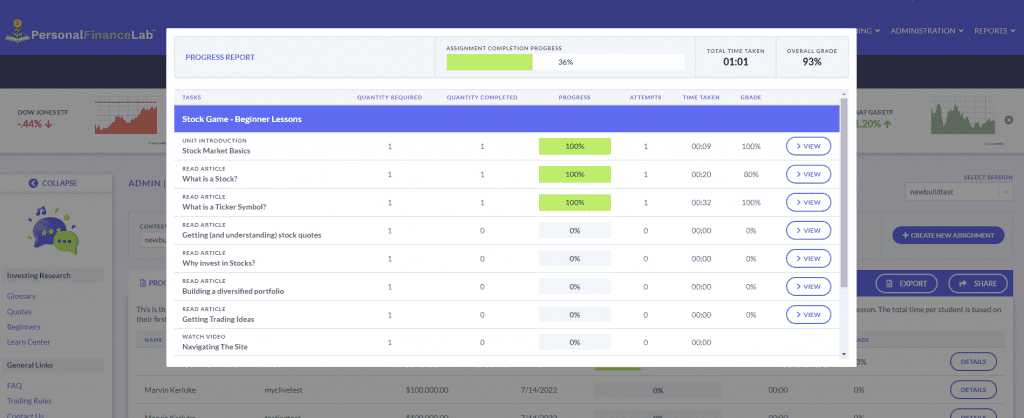
Instructors can view the individual quiz responses from each student to see where they got questions right and or wrong, along with the time taken to complete each lesson and quiz.
Professors will have summary reports for their class showing the average time to complete each lesson and quiz for the entire class, along with statistics on the right/wrong averages for the class on every quiz question.
New Graphics
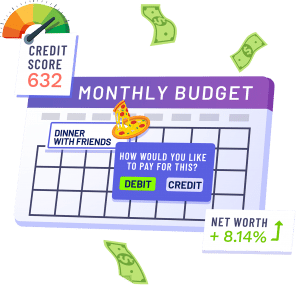
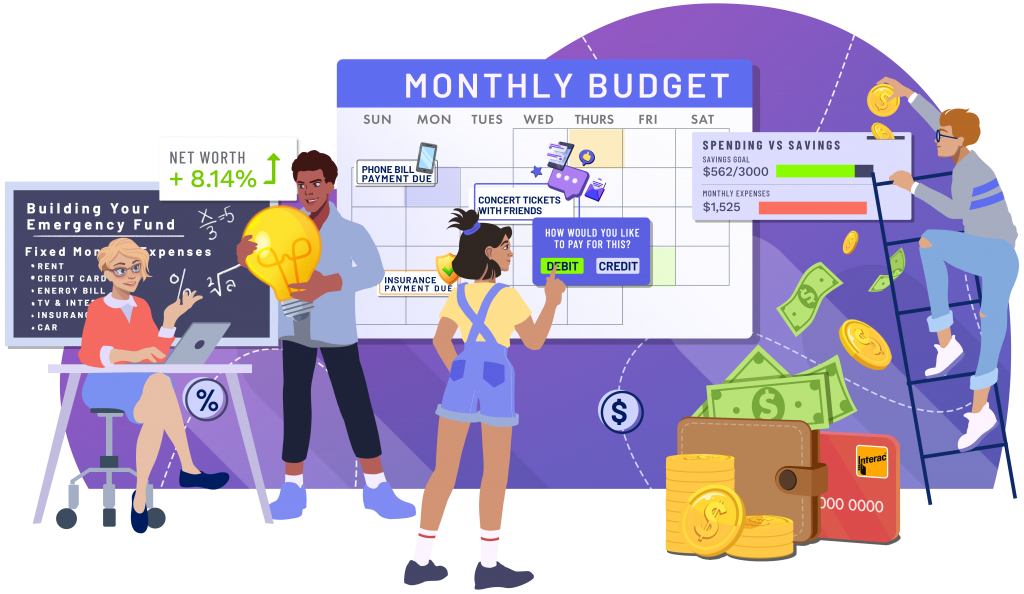
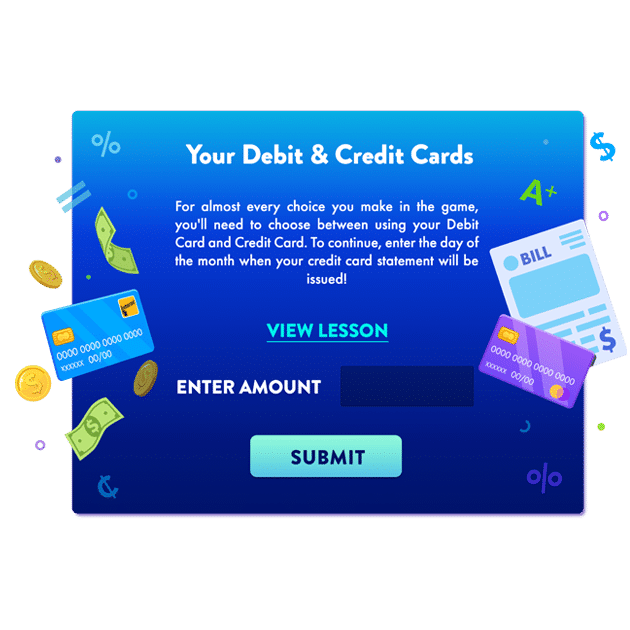
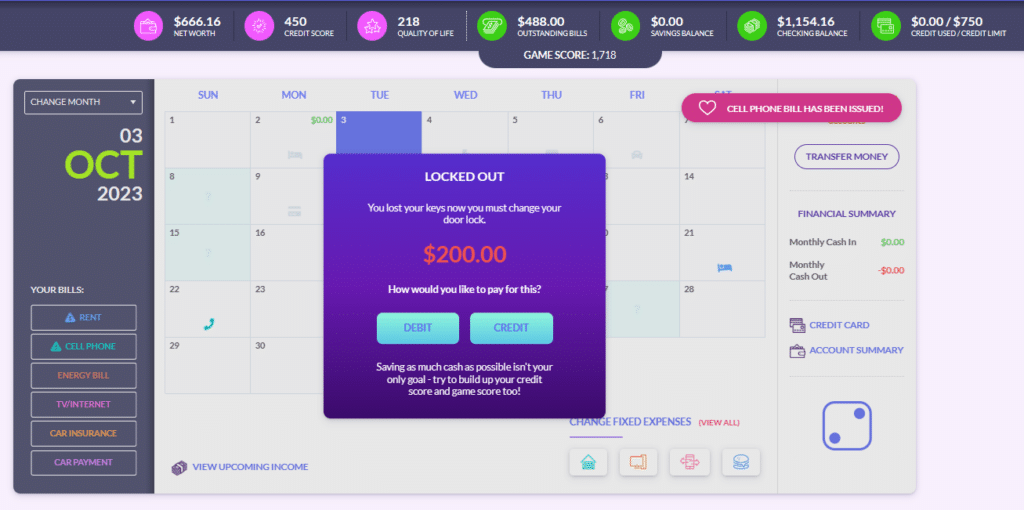
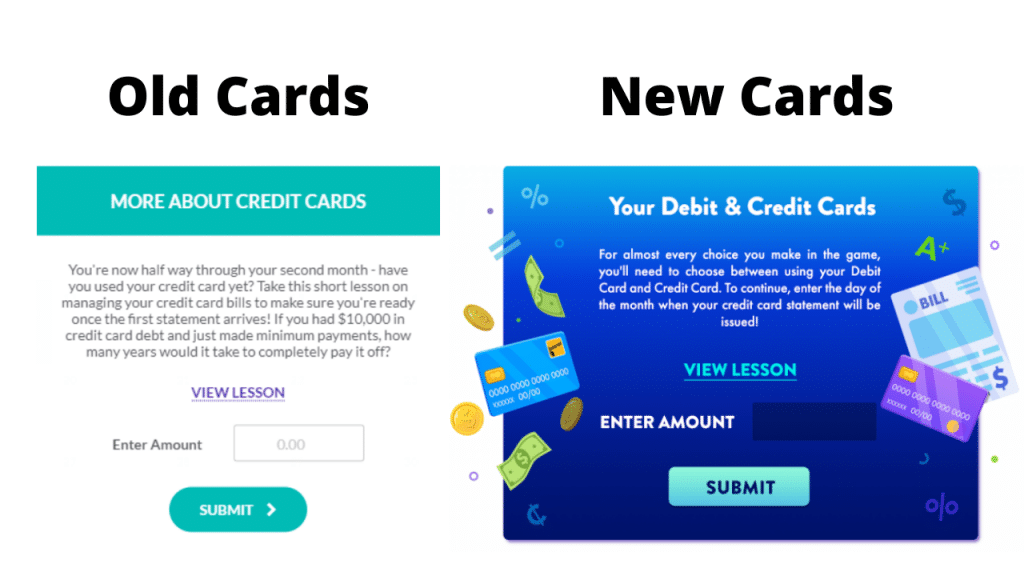
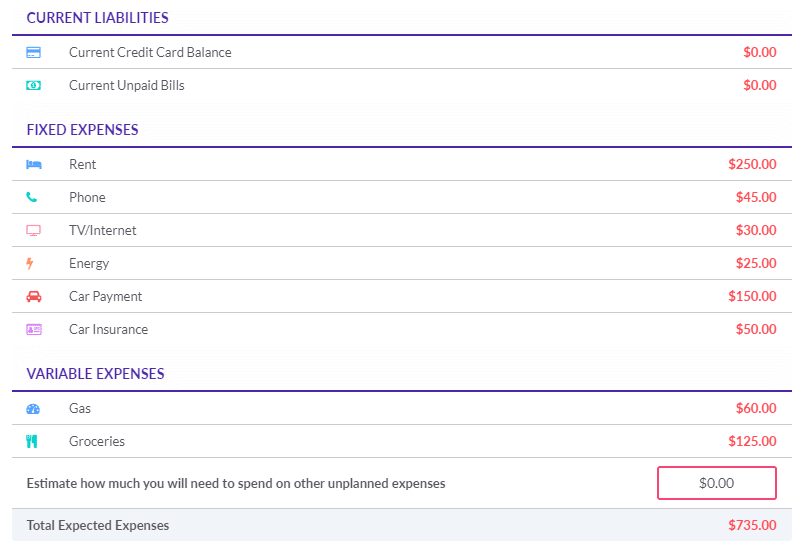
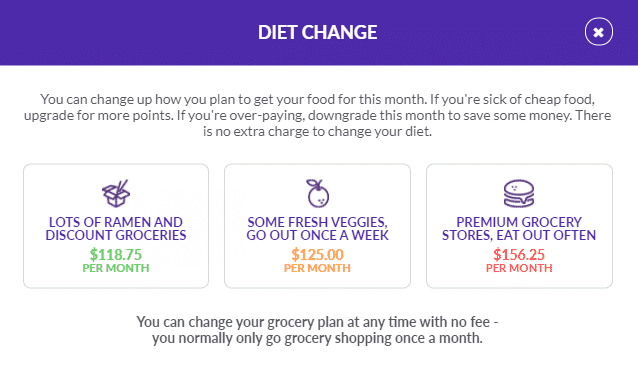
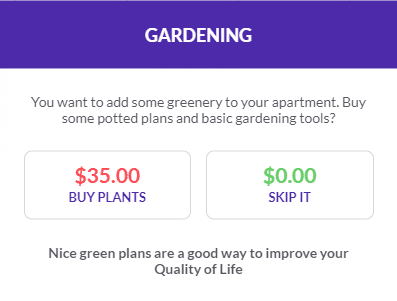
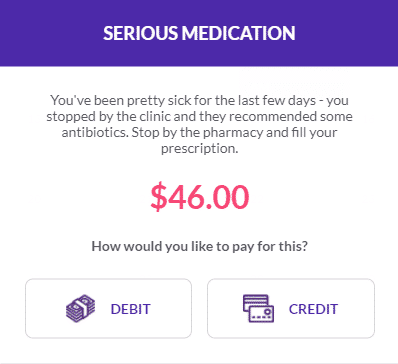
Our design team has been hard at work to bring more gamified elements to the pop-up choice and event cards in the Budget Game. As students play, they encounter some choice cards that ask them to spend money with either their debit or credit cards. Giving them the opportunity to practice using a credit card before they may have received one in real-life.
Other choice cards ask students to decide if they want to purchase or participate in an activity at all. All these choices they make have consequences. The latest enhancement will tie in similar graphics across cards to thematically represent how choosing one option over another has long-term consequences.
Pop-Up Lessons
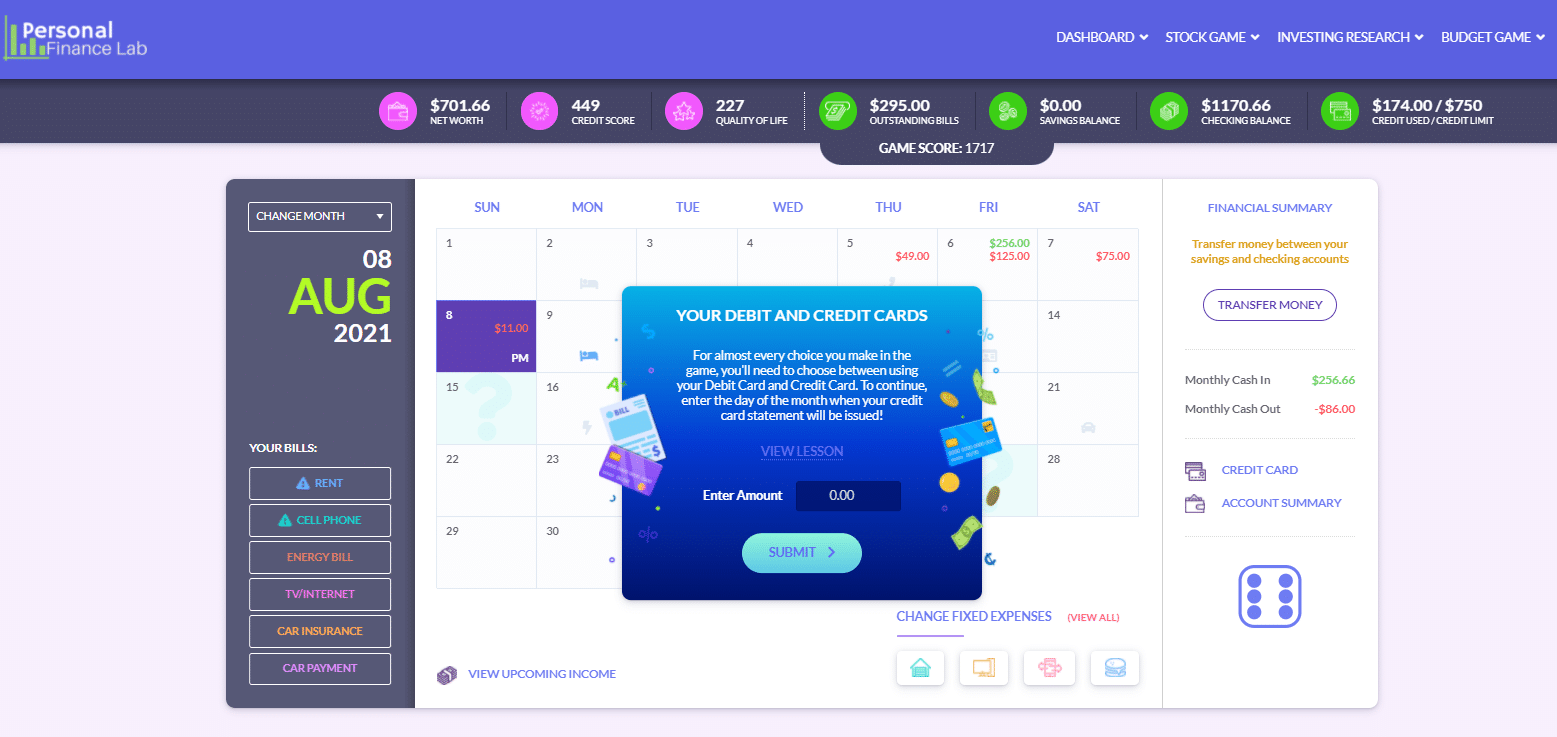
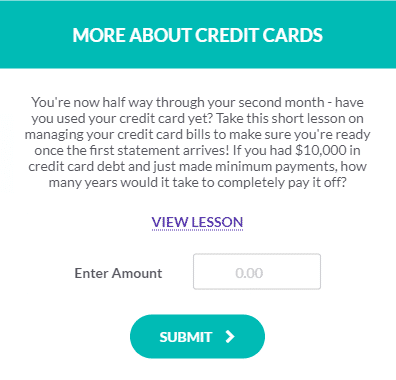
In response to requests from teachers, we’ve changed how students enter their answers into the pop-up lessons in the Budget Game. Before it was an open text field, and often students were getting stuck and couldn’t move forward. Now we will have a dropdown multiple choice list so students can still test their knowledge, but can quickly and easily keep playing after completing a lesson.
Assignment Sub-Units
With over 300+ lessons, it can be difficult to know where to start; this enhancement will group our personal finance lessons according to Jump$tart standards. Not only does it make it easy to identify the lessons that reinforce knowledge statements like budgeting, credit, financial risk and decision making etc. but it allows teachers to quickly assign a whole sub-unit at a time.
By adding an introduction and exit quiz, you can be reassured that your student will be prepared for the lessons, and will be assessed on their knowledge at the end.
Student Progress & Assessments
Teacher reports just got a whole lot more useful by allowing you to see EXACTLY which questions your students are getting right or wrong. You will be able to see trends, and cover the concepts in more depth that students are struggling with. Similarly, you will know what has been firmly understood so you can safely move on to new material!
On top of what students got right or wrong, you will be able to see how much time it took to complete the quizzes. This is a great way to know which students are not being challenged enough, or who is struggling. Over time, you will see what topics your students need more time with so you can allocate class time accordingly.
Offering your students four exciting and fun features:
A Personal Budget Game
A Stock Game
Built-in Lessons with Pop Quizzes
National Challenge with the opportunity to win prizes
5 great reasons to invite your students to the challenge!
Your students will gain valuable experience by building a monthly budget
They will learn how to manage their checking and savings accounts, credit cards, and stock portfolios
Your students will practice what you learn in class before using their real money
It’s free, and it’s super fun – they can compete with their colleagues and practice your knowledge in an interactive game!
10 Teachers will Receive a $100 Staples Gift Card!*
*The 10 teachers that have the most students completing at least 6 months of the budget game will each receive a $100 Staples e-gift Card. That’s another $5000 in prizes for teachers.
Dates: Registration is now open. Challenge runs from October 10th to November 18th, 2022.
Prizes: The Top 10 students from each contest, (from the Budget Game and Stock Game) win a $100 Amazon gift card for their classroom. Teachers of the top-performing finalists will be notified the week after the challenge ends. Teachers will decide how the prizes will be spent for their class. PLUS 10 Teachers will Receive a $100 Staples Gift Card, (please see above).
How Your Students Can Join The Challenge
Your students will be able to register themselves via a pop-up message when they log into PersonalFinanceLab from now through the end of the competition.
You can also invite students from other classes who are not already using PersonalFinanceLab! For these students, you will need to register a separate teacher account (see link below), and will be able to generate logins for the additional students. These extra students will NOT count towards your school’s site license.
We will also send a trophy to the top-performing school in the Stock and Budget Games!
How does it work? Your students must complete 12 virtual months of our Personal Budgeting Game, and build a diversified portfolio of stocks, ETFs, bonds, and mutual funds to be eligible for prizes.
They can earn a certificate in Personal Finance by completing all the included lessons as well – this certification will look amazing in their curriculum in the future!
Do you already have a site license with Personal Finance Lab?
If your students are already using PfinLab this semester, they will see an invitation to join the challenge when they login. You won’t have to do anything on your part!
If other teachers at your school want to include their class in the Financial Literacy challenge, you can use the link below to register as a new teacher. Please note, this will not be tied at all to your existing account or site license!
Dates: Registration is now open. Challenge runs from March 28th to April 29th, 2022.
Prizes: The Top 10 students from each contest, (from the Budget Game and Stock Game) win a $100 Amazon gift card for their classroom. Teachers of the top-performing finalists will be notified the week after the challenge ends. Teachers will decide how the prizes will be spent for their class.
We will also send a trophy to the top-performing school in the Stock Game!
How does it work? You must complete 12 virtual months of our Personal Budgeting Game, and build a diversified portfolio of stocks, ETFs, bonds, and mutual funds to be eligible for prizes.
You can earn a certificate in Personal Finance by completing all the included lessons as well – this certification will look amazing in your curriculum in the future!
Register yourself for our FREE Spring 2022 Financial Literacy Challenge!
Customize the exchanges and securities to suit the level of difficulty for your students. We have loads of tutorial videos on researching and understanding the different types of markets. We also have live data and quoting tools to allow students to perform all their research before investing in our site. ➔ Learn more
How to Use the Stock Game?
If you are not sure how to use our stock game, click the button below!
The curriculum and assignments: choose from investing, personal finance, economics, accounting, marketing, management and more. All grades and progress are exportable into convenient reports to integrate with your other lesson plans. ➔ Learn more
6 Subjects, One Tool
In addition to Personal Finance lessons, PersonalFinanceLab.com also includes dozens of integrated activities for economics, accounting, investments, marketing, and management classes!
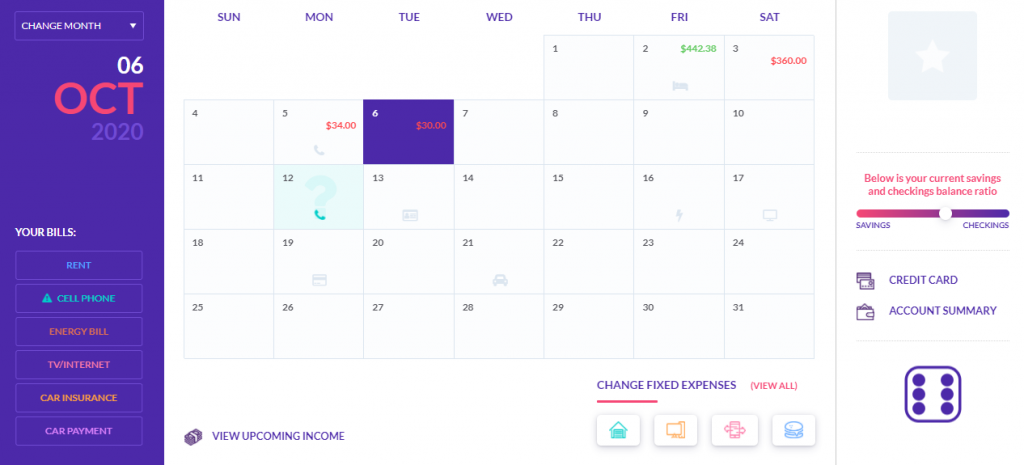
Personal Budgeting Game is set up as a calendar. Students experience managing their own bills, fixed and variable expenses and meeting their savings goals as either a full-time student with a part-time job or a full-time professional. Pop-up lessons integrate core lessons like “Needs vs Wants” or “Credit Cards.” Each month of gameplay takes 20 minutes. However, student progress is saved so this is an excellent bell ringer! ➔ Learn more
How to Use the Budget Game?
If you are not sure how to use our budget game, click the button below!
This course outline is designed for a 9-week Personal Finance Class. It makes heavy use of PersonalFinanceLab’s Budget and Stock Games, as well as our Learning Library with self-grading assessments to measure student progress.
Notice for teachers joining our Free Financial Literacy Events – Our free events do not have full admin access for teachers – all settings are enabled with our recommended settings. You can skip our guides on course set-up and dive straight into the Unit Outlines and Teacher Packets!
To maximize impact of each lesson, classes make heavy use of our budgeting and stock games. We introduce these concepts early so students can continue to practice and build understanding as a course-long project even as the main teaching focus continues on to other topics.
Each unit is divided into several sub-units, each of which would take a typical class approximately 45 minutes to complete, including class discussion time. Each unit contains a mix of class discussion points, Assignments from PersonalFinanceLab’s curriculum and assessment library, class projects, and potential homework lessons.
We include a time estimate for each activity to allow teachers to easily replace any of our recommended lessons with their own projects.
What’s Inside
Each of the Units below contains an overview of the unit’s objectives and glossary terms, along with a PowerPoint presentation for each unit (with glossary introductions and definitions to help facilitate class discussion). Many of the individual lessons also have an accompanying Powerpoint presentation, which teachers can use in place of our online lessons. Each Unit has a PDF Course Outline overview that you can copy, plus additional Teacher and Student packets with individual project prompts and grading rubrics.
There are also several “In-Class Projects” throughout the course outline. More details on each project, including grading rubric templates, can be found in our Teacher Packet. There is also a separate Student Packet for students with prompts for each project.
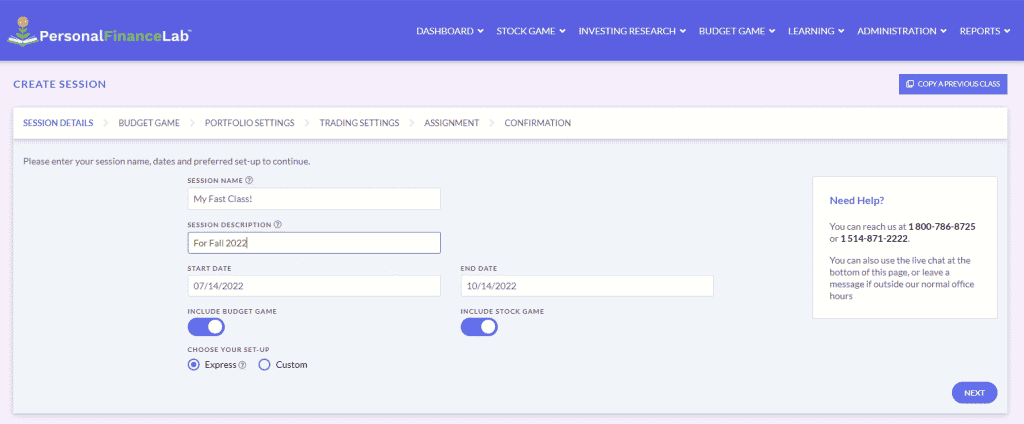
PersonalFinanceLab is highly customizable for your class. However, to make the most of our recommended projects, we encourage teachers to use the following settings when setting up their class (these settings are specific to this 9-week course outline):
Budget Game
Set up a 12-month game, where students are “Part Time” for the first 6 months, “Full Time” for the last 6 months (we include a “midpoint review” project that hinges on this transition).
Utilize Speed Limits, allowing students to complete no more than 2 months of the budget game per 1-week of class time.
You can use our pre-sets for bill expenses or choose settings more directly related to your area. However, confirm at the preview at the bottom of the screen that students should be able to save 10% of their income each month.
Stock Game
Create your stock game by giving students $10,000 of initial cash.
Also enable $1,000 weekly deposits. This will add additional cash to student’s accounts each week of class (as if they were making regular contributions to a retirement account that must be re-invested).
After your class has been set up and students have registered, utilize our Teams feature to organize your class into groups of 2 or more students per team. This will allow students to place their own trades, while aggregating team portfolios.
Our last recommended activity for the class involves each group making a 5-minute presentation to the class, and so we recommend you adjust your group sizes accordingly to allow all groups present in the same day at the end of class.
Your Assignments
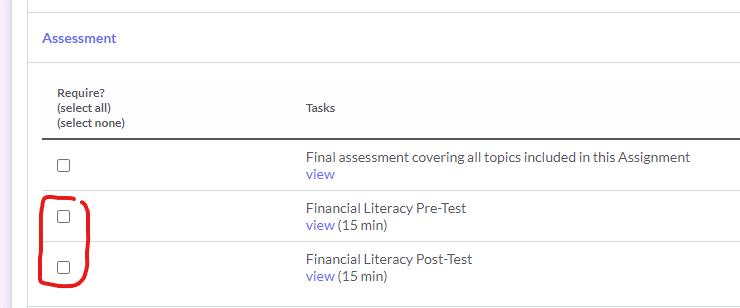
Each unit outline has our recommended assignment tasks. Most teachers load these as Weekly Assignments for their class. We generally recommend teachers utilize the Rewards function to alternatingly award bonus cash to student’s budget game or stock game accounts throughout the class to encourage on-time submissions. Also, you can set-up pre and post tests from the Create Assignment page to gauge how much your students are learning about financial literacy and personal finance. Set-up the pre-test before students use the platform, and the post-test at the end of the semester.
We would love the input of every teacher on our course outlines. They undergo constant revision to reflect new lessons and features on PersonalFinanceLab, with each update based in feedback from teachers like you. If you have any questions or comments, please leave a message below:
Our team has been busy this summer rolling out improvements to make teaching financial literacy and personal finance that much easier. Check out all the new features that will be available for this fall semester.
Budget Game
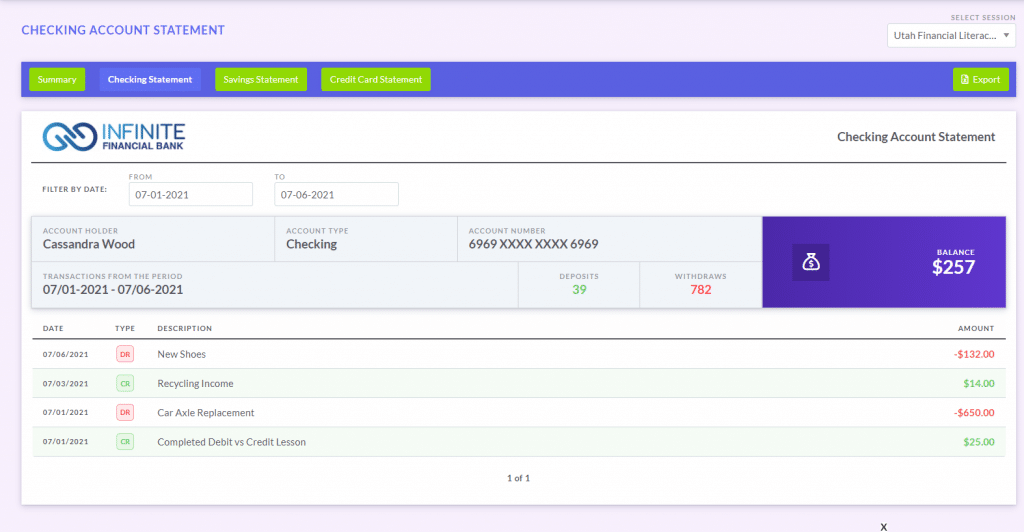
Improved Bank and Credit Card Statements – student’s checking account, savings account, and credit card statements are new and improved to look like real online banking sites. You can see them yourself here!
Summary Statements – brings all the relevant details for each student’s activities while on the site in one place for a birds-eye view of their financial health.
Full-Time Mode Changes – the Budget Game has two game modes – a student with a part-time job, or a full-time worker who just started their first job. Both versions have a multitude of minor improvements, but the biggest difference is that paychecks are only distributed once every two weeks instead of weekly for full-time mode.
Better Graphics
Our graphic design team has been hard at work as well, adding new illustrations and graphics throughout the game to bring each scenario to life. Check out a sneak preview from the gallery below.
Advanced Assignment Tracking
Time Tracking –you will now have the estimated time of completion for each lesson that you assign your students. This will give you a clear picture on how much time it will take to complete their work. We also are adding time tracking to each lesson, so you can see how much time each student in your class takes to finish each lesson and its accompanying assessment.
Grade Tracking – previously our system would track the score students received on each assessment, but not their answers to each individual question. This update will give you question-level insights for each student. If you allow students to re-take the assessments associated with each lesson, you can see their answers from each attempt.
Class Summary Statistics – this adds new class summary reporting, so you can see how long the average student in your class takes to complete each lesson, along with summary statistics on which individual questions in our assessments are frequently missed.
New Student Dashboard
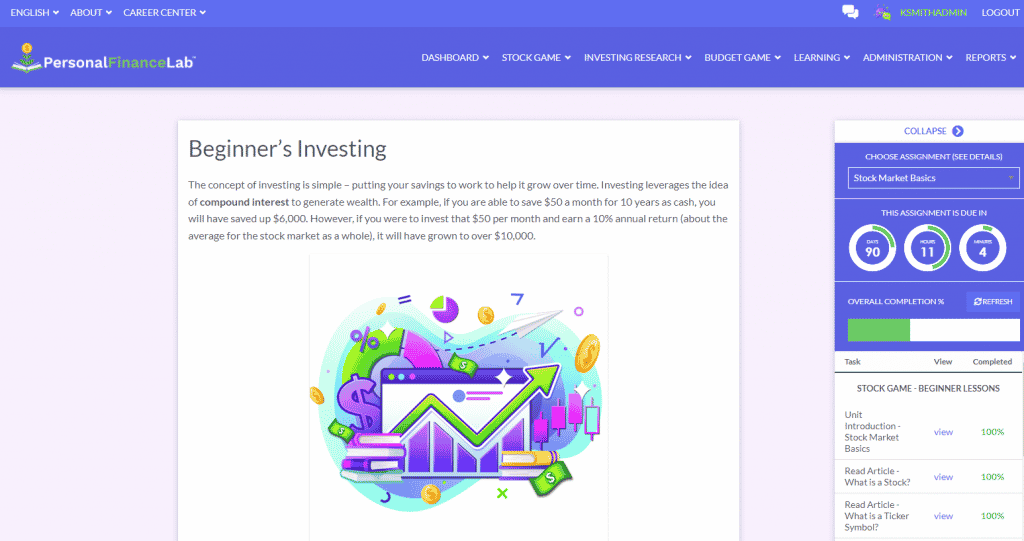
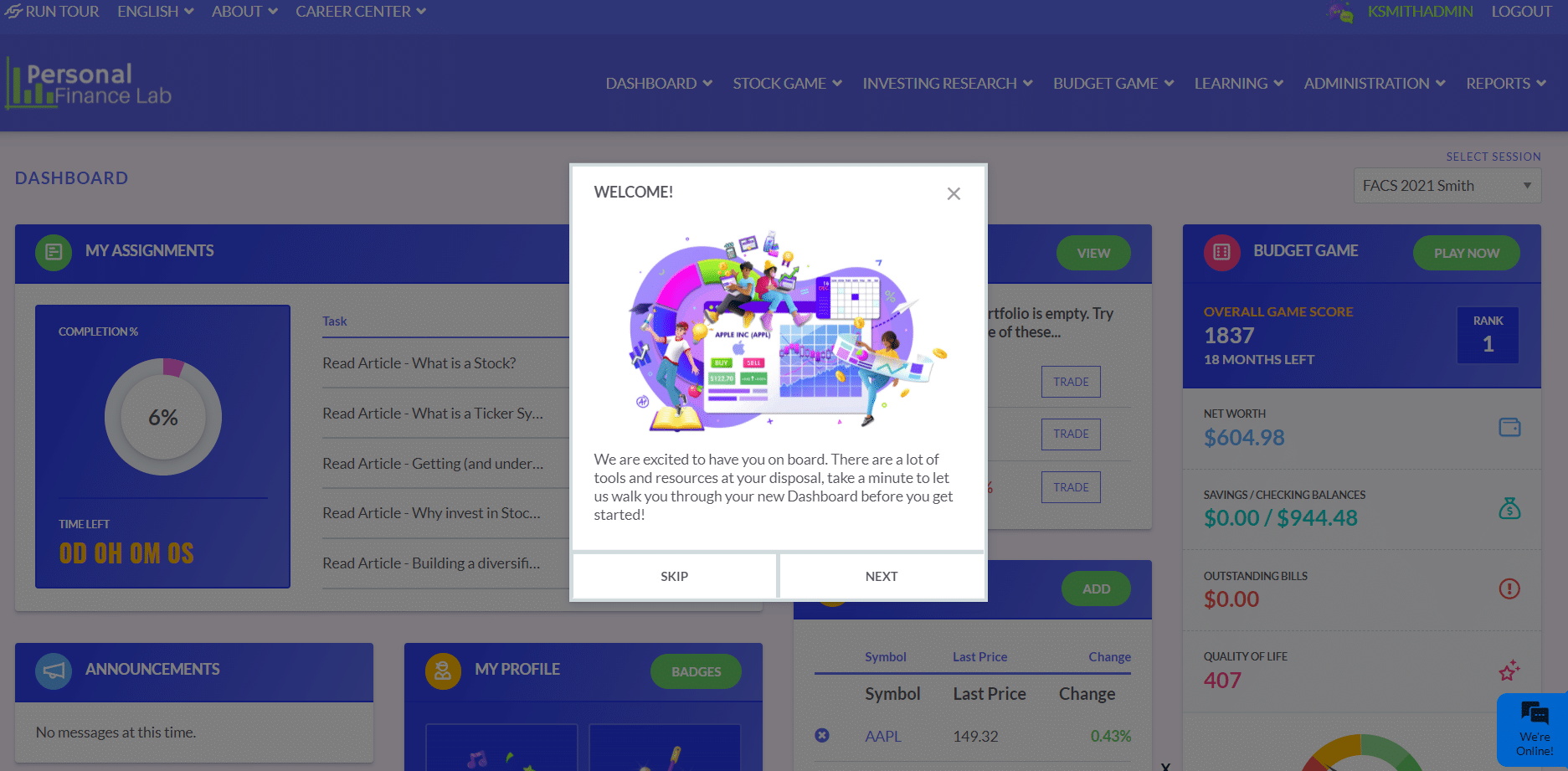
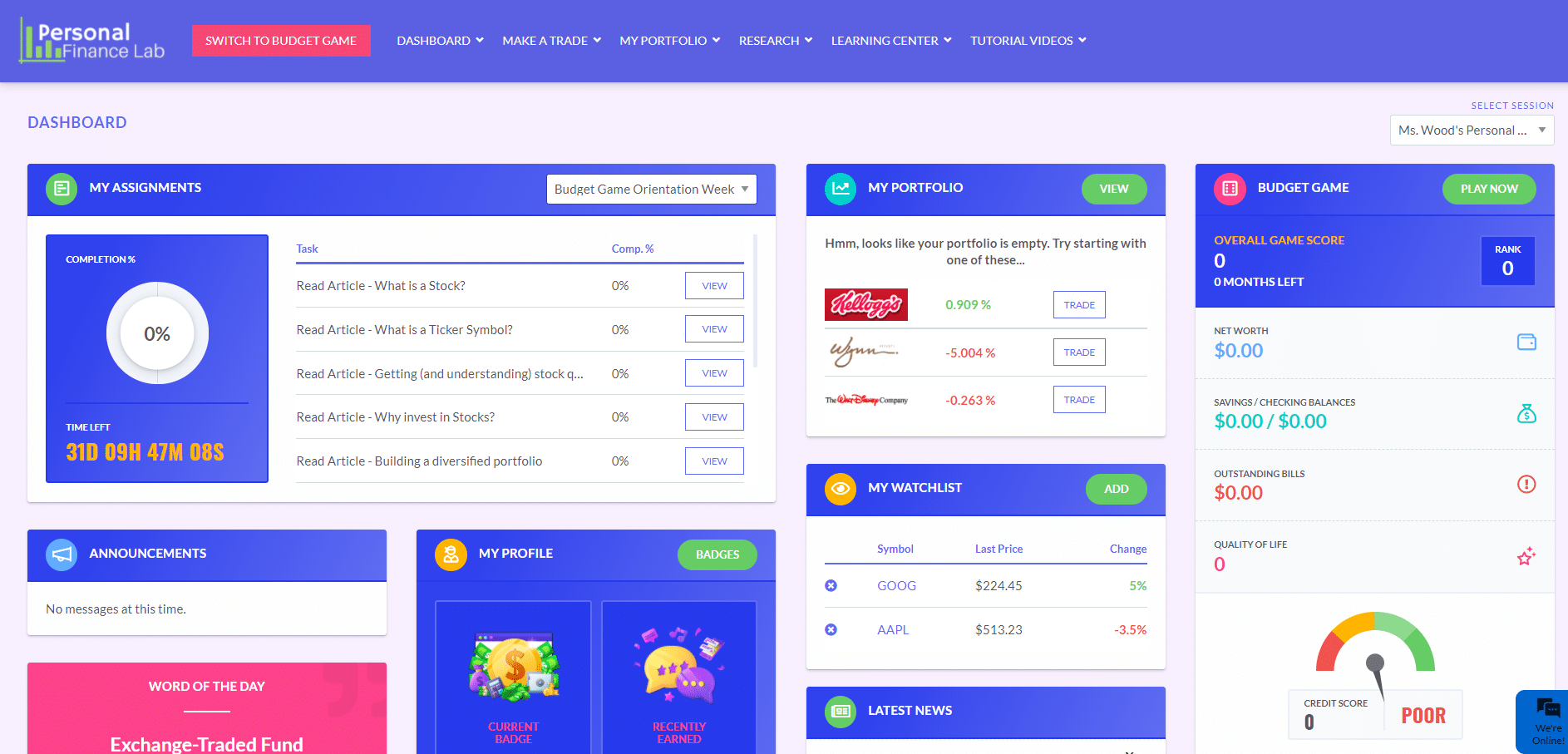
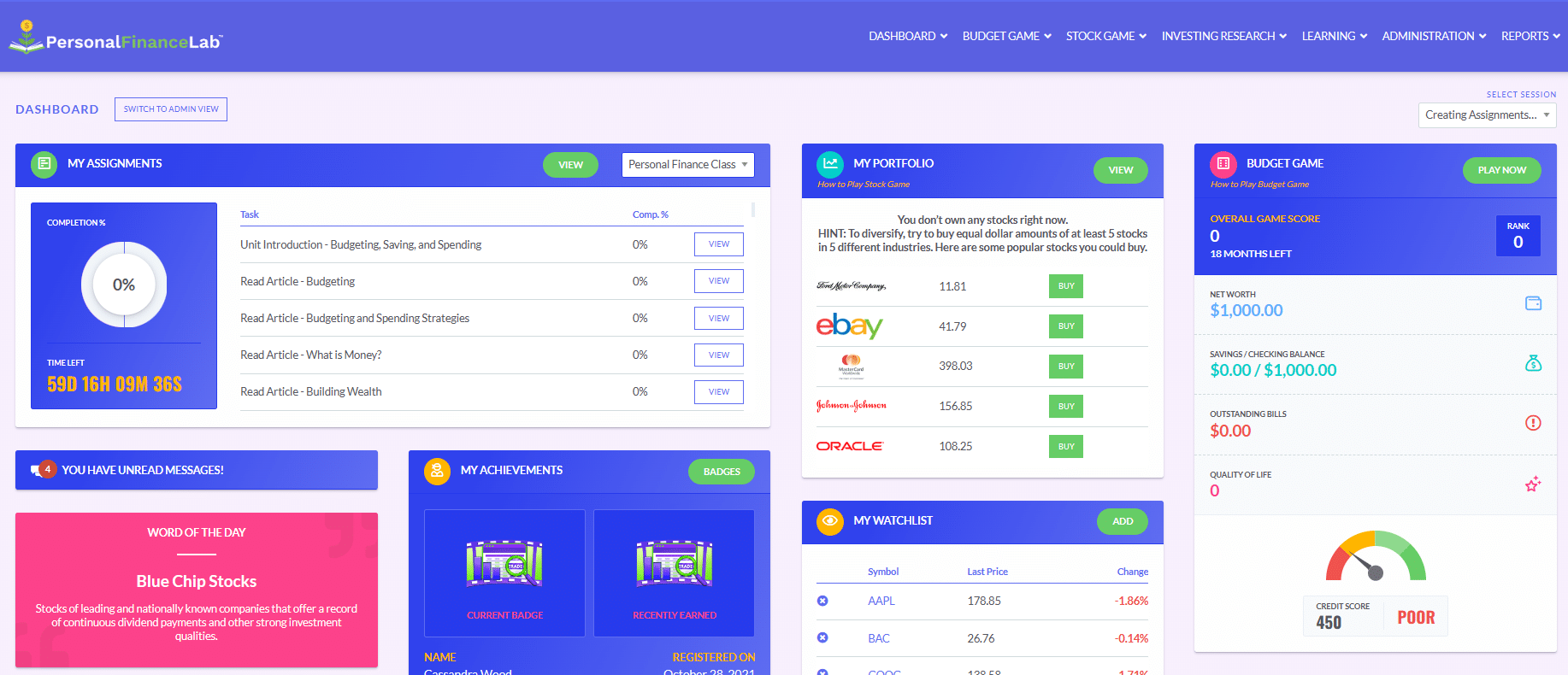
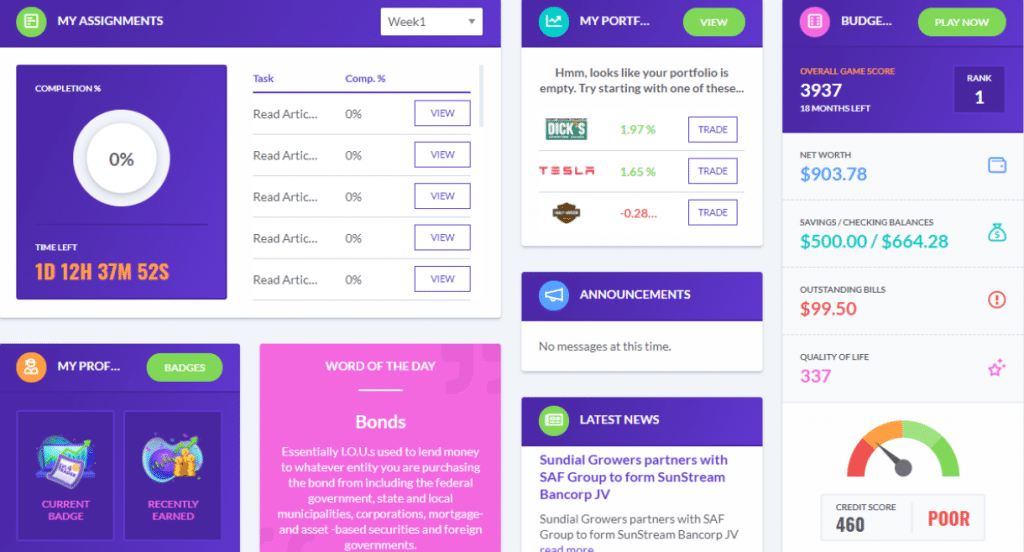
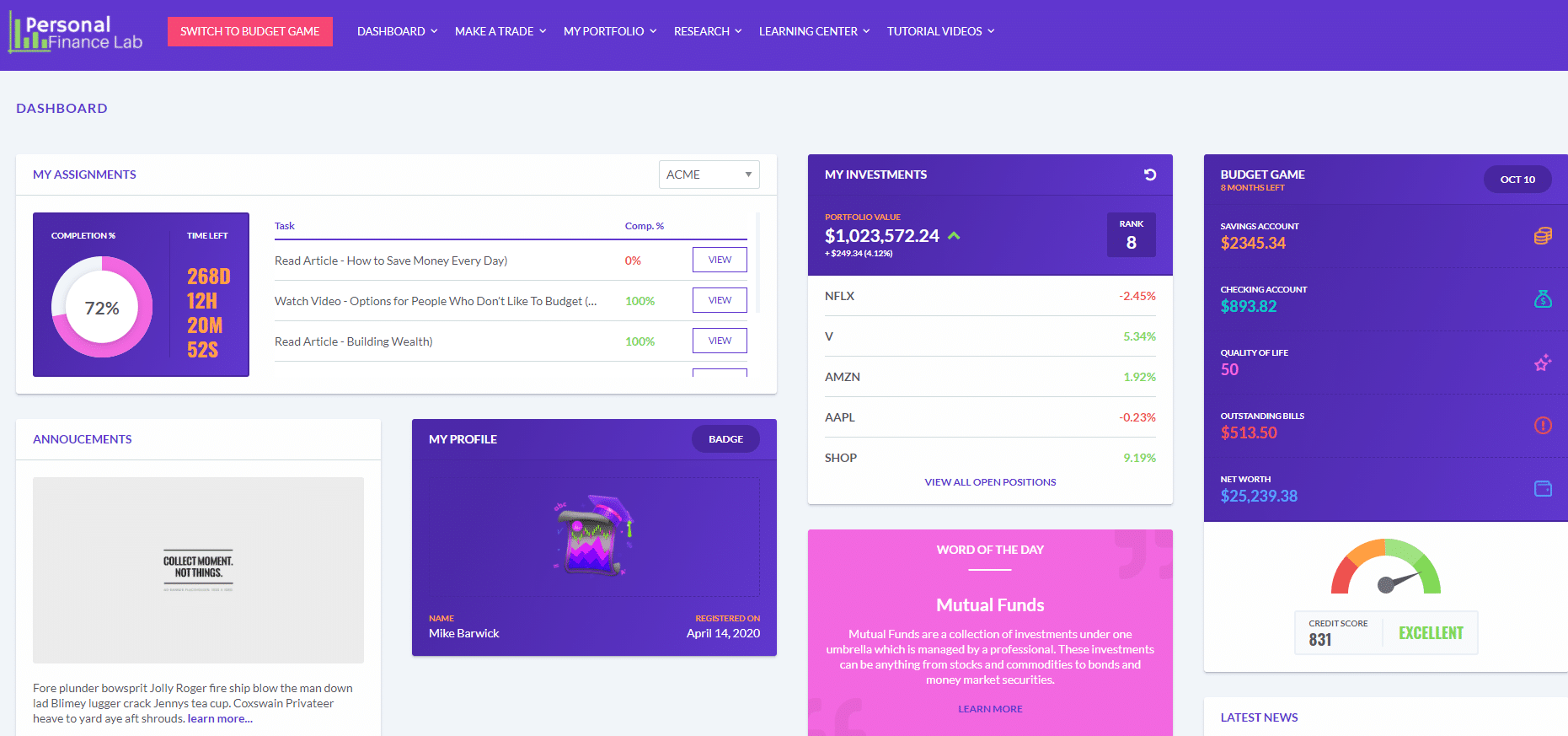
We brought the student’s progress on your class Assignments front and center, so students are immediately greeted with what they need to focus on first. If your class is utilizing our Budgeting Game, their current game progress comes up with a button to continue from where they left off. They’ll also see their open positions and a snapshot of their portfolio. If your class is not utilizing the budget game or assignments, this will appear right on top.
The new dashboard is the featured image for this post!
Financial Literacy Lesson Update
Investing101 Update
Our Investing 101 curriculum is a great refresher for students on the fundamentals of investing as well as an essential component to department-wide or campus-wide investing competitions to help promote financial literacy. Our 10-chapter, 100-lesson course has undergone a comprehensive overhaul in light of changing trends in the investing world since its first launch. Highlights to the update include:
More and improved short video tutorials
Enhanced introductions to each covered security type, what they fundamentally represent, and how they can be combined for specific investing objectives
Complete revision of our chapters on Fundamental and Technical Analysis
Both new and improved tutorials on utilizing stock screeners and making your first trade
Improved focus on personal investing, including a discussion of tax advantages of “Buy and Hold” investing
Revamped chapter on Current Hot Topics in Trading, including lessons on cryptocurrencies, short squeezes, and ESG investing
Each chapter of Investing101 now includes two separate assessments – a short vocabulary quiz followed by a longer quiz on the substance of the chapter.
Financial Literacy Update
Our Financial Literacy lesson library has also received a major update. In addition to bringing our taxation lessons up-to-date with current tax policy and dozens of updates to our existing lessons, many new lessons have also been added. These include:
Unit introduction on taxation
Career development and the impact of different types of education
Charities and including giving in a spending plan
Simple and living wills
Understanding apartment rental agreements and obligations
Employer and employee rights and responsibilities
Using spreadsheets to compare loan terms to see which is a better deal
As with all of our lessons, each of our new lessons is bite-sized to take students 10 minutes or less, with an automatic assessment to check for understanding.
Our financial literacy lessons are perfect for Personal Finance classes utilizing both our portfolio simulation and personal budgeting game, or an excellent supplement to any business or finance class to ensure your students have exposure to the essential skills they need after graduation.
Coming Soon…
Course outlines on budgeting, investing, credit and other financial literacy topics to make it that much easier to integrate our platform into your curriculum. Once all the materials have been prepared, we’ll have a separate announcement to help explain to teachers how they can integrate this in their classes.
Many CTE programs across the country already use PersonalFinanceLab!
Find out what you and your students are missing!
Research shows the students learn more by doing than by listening. And at PersonalFinanceLab.com, we totally believe that!
Our simulations let your students “DO” Personal Finance so that they will remember it. Perhaps more than any other skill, learning to manage your money is a lesson that will truly last a lifetime.
PersonalFinanceLab offers 4 tools in 1 site to help YOU teach and to make sure your students LEARN.
With one easy to use site, your students will:
Play 12 virtual months of our Personal Budgeting Game, so they get to experience building a monthly budget and managing their monthly cash inflows, outflows, net worth, credit score, etc.
Experience the ups and downs of the stock market as they build a virtual stock portfolio
Supplement their knowledge with the embedded curriculum that teaches practical money skills, and…
This is a teacher introduction to the PersonalFinanceLab platform, with an overview of our budget game, stock game, curriculum library, gamification engine, and assessments.
Discover why the Budget Game, Stock Game and our Learning Library of assignments and lesson plans will transform how you teach financial literacy. And make teaching more fun, curriculum planning easy, and improve student engagement!
• Teachers can customize the types of securities students can trade, the diversification, and amount of trades per day. The stock game provides integrated research and reports so students can make smarter investment choices. Great for distance learning, and engaging students through healthy competition and portfolio rankings.
Completely Customizable
Our stock game can be perfectly tailored for your class. Choose your own class contest length and dates, what students can trade (stocks, ETFs, mutual funds, bonds, commodities – even cryptocurrencies!), how students need to diversify, and over 50 different settings!
You can even require students to take notes with every trade to connect the stock game back to your current course topics, use the built-in forums to drive class discussion, and post messages and alerts for your class!
This makes our stock game the perfect centerpiece for any personal finance, economics, business, entrepreneurship, or accounting class – you pick whatever rules work best for your set of students!
Integrated Research and Reports
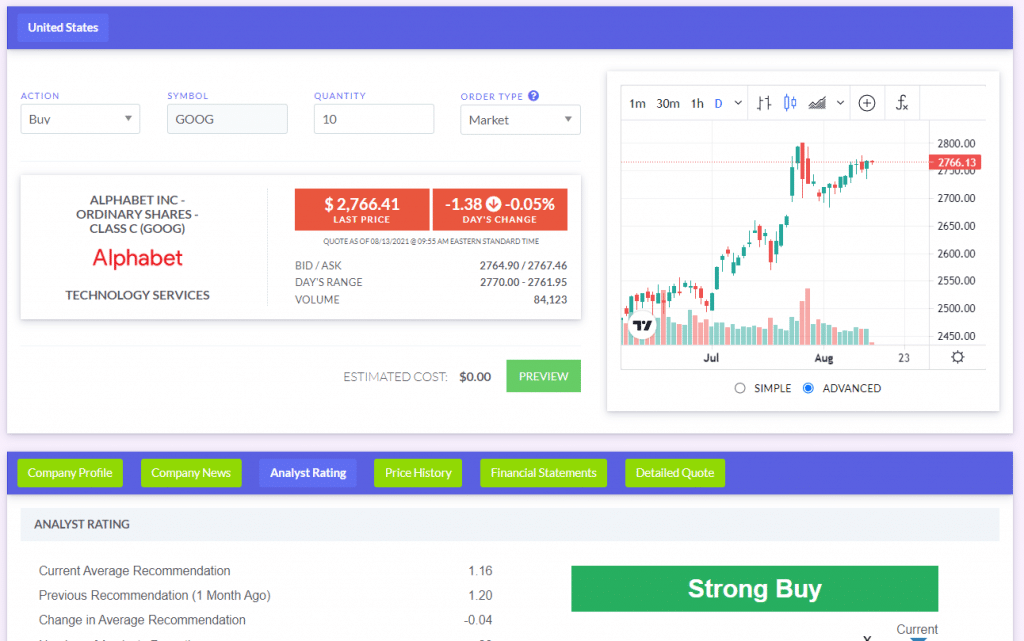
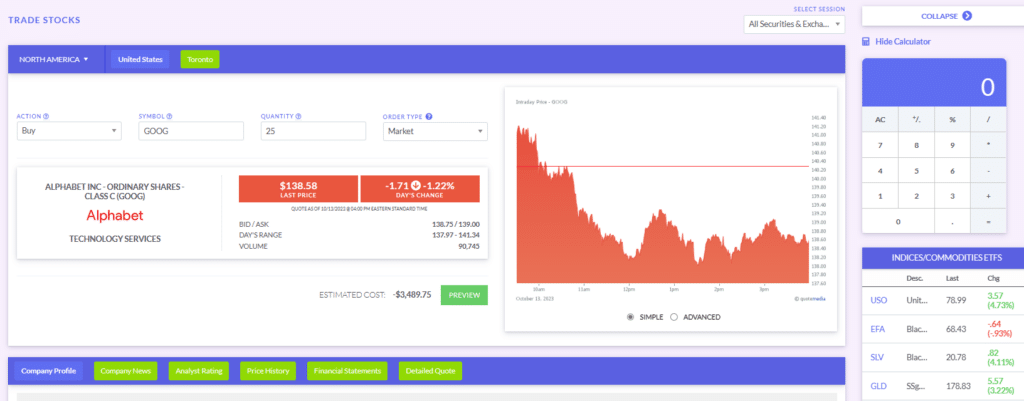
Income statements, balance sheets, cash flow statements, historical prices, accounting ratios, SEC filings, option chains, and over 40 other data points are available in our Research Center. We even integrated company info, analyst ratings, symbol lookup, and charting tools directly into the trading page, so students can do all their investing research all in one place.
Teachers also get access to an unprecedented level of reporting and tracking, with real-time activity reports, diversification reports, trading activity, class summary data, and much more. Best of all, it is completely exportable to Excel or any other spreadsheet program!
Great for group work and homework!
Our Teams feature lets you group students into collaborative portfolios, so you can both see each student’s individual actions while keeping team class rankings as a group project!
Since PersonalFinanceLab.com is entirely web-based with no software to install, students can also track their portfolios from at home or even between classes on any mobile device for the ultimate gamified investing activity.
How to Use the Stock Game?
If you are not sure how to use our stock game, click the button below!
• Students learn how to build an emergency savings fund while balancing their monthly expenses. The game is set-up like a calendar and each “month” of gameplay takes 20 minutes to complete.
• Students make impactful decisions that change the opportunities they face in the game. These choices also affect their Net Worth, Credit Score, and Quality of Life Score. As they play the Budget Game they complete integrated lessons, pop quizzes, and mini-games that make personal budgeting fun and interactive!
Real Life Scenarios & Events
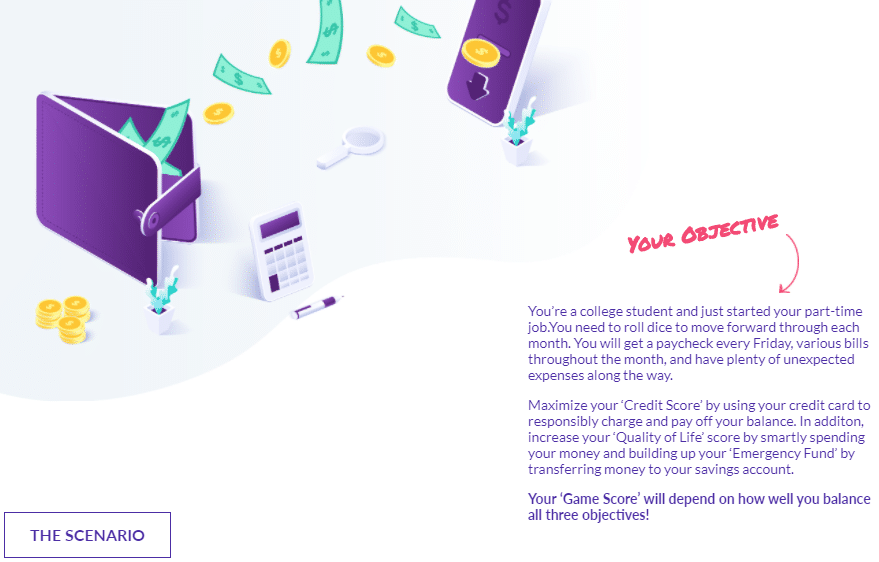
Your students take on the role of either a college student with a part-time job or a graduate just starting their first full-time job. Either way, they are now living on their own, paying all their bills, and managing their variable income, expenses, and lots of unexpected life events!
Teacher Controls Game & Lessons
You set the initial fixed expenses, wages/salaries, income tax rates, and more to make the game unique to your class! You also choose the lessons that pop up and influence what types of “Life Events” occur so your game evolves with the topics you cover in class.
Impactful Decisions
Students need to constantly make financial decisions – work extra hours or spend time studying in school. Buy renter’s insurance this month, or take the risk? Their game score increases as students reach their savings goals, improve their credit score, and build their Quality of Life.
Easy to Use; Full Reporting
Teachers can easily track student progress throughout the game. All transactions they make are exportable to excel or Google sheets; which includes their bank statements, credit card statements, and pay stubs!
With this information students can run activities in the class based on their actions in the game. For instance; cashflow statements, monthly budgets or compare the different choices they made.
How to Use the Budget Game?
If you are not sure how to use our budget game, click the button below!

• Registering your class to the PersonalFinanceLab comes with an extensive collection of experiential learning exercises to maximize your students’ understanding of personal finance, investing, economics, and business. Assignments include articles, videos, interactive calculators, and exams that are self-graded and included in the students’ progress reports.
6 Subjects, One Tool
In addition to Personal Finance lessons, PersonalFinanceLab.com also includes dozens of integrated activities for economics, accounting, investments, marketing, and management classes!
8 Reasons Why Your School Needs PersonalFinanceLab
1.Personal Budgeting Game – Students take on the role of a young adult with their first job and manage a budget. Rent, car loan, utilities, groceries and many unexpected expenses challenge them to stay on budget. Students learn to manage cash and credit cards. ▶ Learn more
2.Stock Market Game – Real-time stock game, with live streaming portfolios and class rankings, instant order execution, integrated research and reporting. Quotes, charts, news and analyst ratings help students research and learn to invest. ▶ Learn more
3.Integrated Curriculum With Built-In Assessments – Teaching a class on Personal Finance, Economics, Business, Accounting and Investing? We’ve got integrated curriculum that meets National Standards that can be blended in to our games. ▶ Learn more
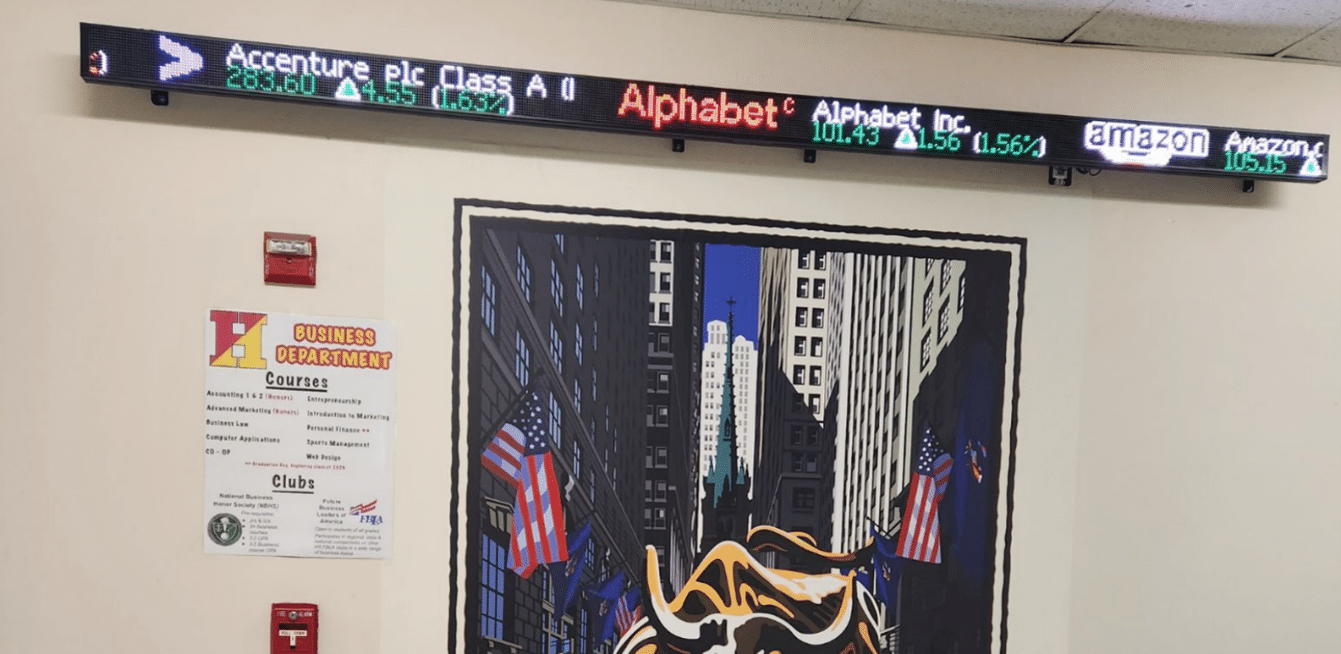
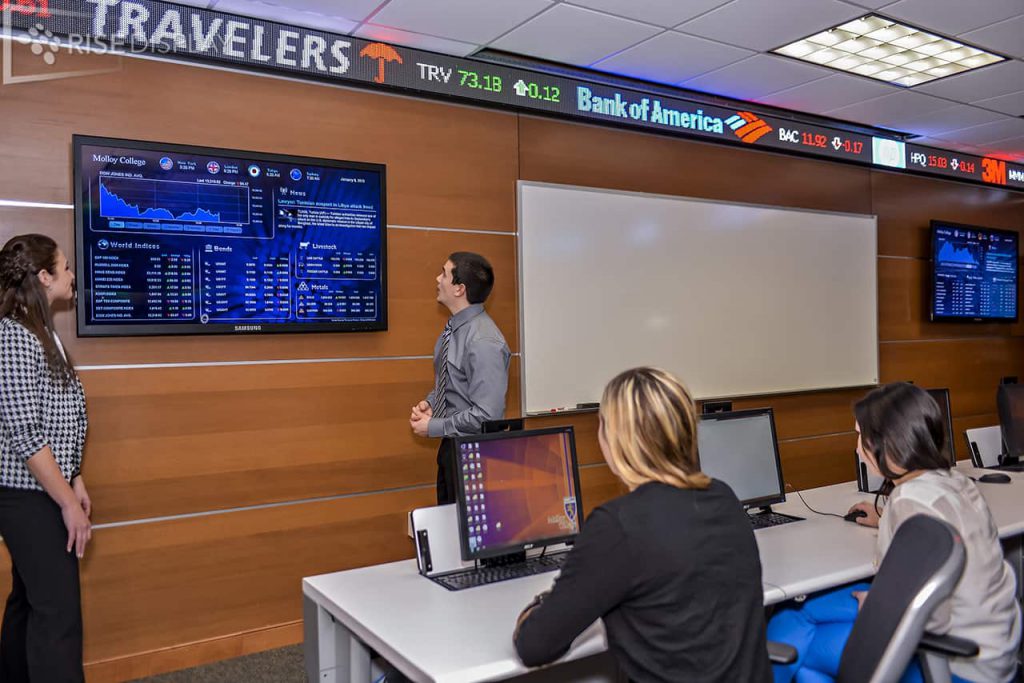
4.Live data displayed in your Classroom – Use any LCD screen to broadcast Words of the Day, class rankings, streaming stock charts, watchlists, market news, and much more! Use real-time financial news and current events to keep students learning each day. ▶ Learn more
5. Certifications – Students who complete all 50 Personal Finance lessons, as well as the 12 months of the Budget Game and place 25 trades in the Stock Game can earn the Financial Literacy Certificate. In both cases, all the badges the students earned is printed on the back of the certificate.
6. New Enhancements – We are constantly improving our platform, with new features and updates. You can check the features for Spring 2022 here.
7. Webinars and Events – Our team hosts webinars to introduce updates and answer any questions that teachers may have regarding the platform. Our support is exclusive and is always available to the teacher and school.
8. Career Center – Your students will understand the importance of internships, certifications, and preparing for interviews as important life skills. Students have access to the PersonalFinanceLab Job and Internship center, which pulls local job postings from dozens of different job boards to continually remind students of what skills employers are looking for after they graduate – as an extra push to succeed in school!
Want More Info, a Demo, or you Want Us To Call You?
There are a lot of new enhancements that will improve how both teachers and students use the platform!
General Improvements
New Dashboard
• Our new Dashboard brings all your student’s actions into one place
Live Chat
• PFinLab now has live chat support available for teachers and students (during market hours)
Onboarding
• First-time users now get help to get started on key pages (teachers too!)
Stock Game Enhancements
Weekly Deposits
• Instead of lump-sum cash to invest, students have periodic deposits into their stock game account
Custom Exchanges
Restrict your investing universe! Common uses include:
Just the S&P 500 or DOW 30
Only stocks with a strong local presence
Each student picks 5 stocks at the start that they research, open to everyone to trade
Mutual Fund Research
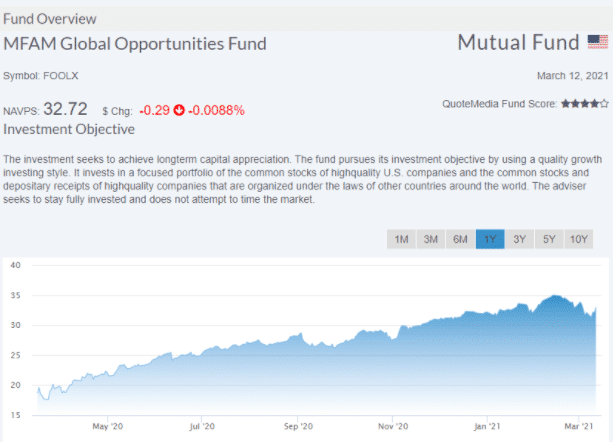
New mutual fund research tools! See:
Fund overviews
Fund performance
Fund holding
…plus the same research you can find for Stocks and ETFs!
Spots Trading
• “Cash Spots” trading now supports basic commodities!
Risk Adjusted Rankings
For Finance Classes, improvements to Risk Adjusted Rankings!
Sharpe Ratio
Jensen’s Alpha
Treynor Ratio
Budget Game Enhancements
Images and Colors
Improved Paychecks
• Better transition from Part-Time to Full-Time mode • Part-Time mode hours are more consistent (14-30 hours, instead of 5-35 hours)
Historical Views
• Students can now look back and see when they had transactions in previous months
Zero-Cost Bills
The game now supports zero-priced bills • Example: Students do not need to pay rent while still in school (since they live with their parents)
More Long-Term Impacts
• Multi-month discounts on bills • Card deck shuffles differently depending on a “Status”
Assignment Enhancements
New and Improved Certificates
• Financial Literacy Certificate + Investing101 Certificate • Students can download the PDF, and they earn a badge to show off on the rankings page!
New Logging System
• Some reports from schools that students were not getting credit • New assignment logging system opens the doors to more reports in the future!
Administration Enhancements
New and Improved Widgets
• For schools with our Widget Packs, new ranking types, financial data, and even custom widgets now available!
New Fun Facts Report
• Great bell-ringer – see what students are buying and selling for any date range!
Improved Data Exports
• Admins can now pull transaction history and open positions export live • … But this may fail for VERY large classes (150+ students). Our support team can help!
If you want a printable PDF to download and share with your students, click here.
Dates: Registration now open. Challenge runs March 22nd to April 30th. Teachers can continue using PersonalFinanceLab for free until June 30th.
Prizes: The Top 20 students from each contest, (from the Budget Game and Stock Game) each win a $100 Amazon gift card for their classroom. Teachers of the top-performing finalists will be notified the week after the challenge ends. They will decide how the prizes will be spent for their class.
*Prizes are based on April 30th, and the winners will be announced on the first week of May. The challenge will remain open until June 15th, so teachers can continue using the games and lessons after the prize period ends.*
About the Challenge: This is a free national competition where students learn about budgeting, credit cards, investing, insurance, income, taxes, and transitioning to their job after school – all in a fun game environment with national rankings and prizes. Students complete 12 virtual months of our Personal Budgeting Game, 30 Financial Literacy lessons, and build a virtual portfolio of stocks, ETFs, bonds, and mutual funds. They can earn a certificate in Personal Finance by completing all the included lessons as well.
Extra-curricular activity: The challenge works excellent as a supplement during Financial Literacy Month with little to no class time requirements – making it perfect for the entire school. The challenge is already set up for you! All you have to do is register, and your students will get access to our budget game, stock game, and assignments. Your students only need around 20 minutes a day to complete a virtual month and the accompanying activities. The best part is that they learn a variety of personal finance lessons at the same time!
Register your class for our FREE Spring 2021 Financial Literacy Challenge!
If you are not sure how to use our budget game or stock game, click the buttons below! When you are ready, scroll up and click the “Register Now” button! ?

There are a lot of new enhancements that will be coming this January and will improve how both teachers and students use the platform.
Quick Overview
Stock Game
Weekly Deposits
$1 Starting Cash
Budget Game
Starting Positions
Graphics Update
System Updates
New Badges
New Widgets
New Certifications
New “Combo” Dashboard
New Onboarding for Teachers and Students
Stock Game Updates
Focusing on bringing more emphasis on Personal Investing, which mimics how people invest their money in the real world. Starting out with a small amount of cash, (like $1) and then adding weekly deposits every week for the rest of the semester.
Students need to continually reinvest these new funds, ranging from $100 to $50,000 that is automatically added to their accounts each week. This rebalancing is replicating how investors save for their retirement, buying a car or house or any other goals they may have.
To encourage students to complete their lessons, teachers can set rewards that add a lump sum into their account only when they finish their assignments. This integrates the lessons into the game so everything is interconnected. Students would only be able to make trades after they’ve watched the tutorial videos since their accounts will be empty when they first start. What stocks should students buy? Read this Motley Fool Review for the best performing stocks.
Budget Game Updates
Students will now start the game and immediately set their budget for the upcoming month. Including their expected income and expenses, as well as their savings goals BEFORE choosing their apartment, meal plan, internet and cell phone plans.
We’re also upgrading all the graphics in the game to add more illustrations and images to every event card to bring the game to life. Also, we’re rearranged the Budget Game to be the first step when creating your class.
New badges
New Mastery badges have been added! These are earned by students who complete full units of lessons and activities in the Stock Game and Budget Game.

For example, become a “Credit Master” by completing all the lessons related to Credit, plus building a credit score in the Budget Game and collecting badges for trading specific combinations of stocks from different sectors in the Stock Game. This encourages students to go above and beyond the bare class minimums
Widget Update
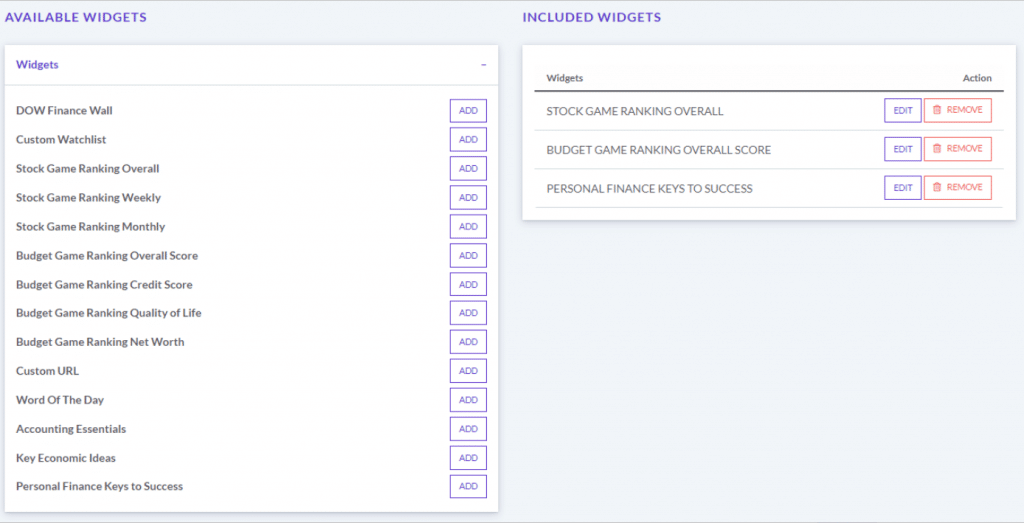
Customize and broadcast news to your classroom much more easily than ever before! You will now be able to change the parameters yourself from the administration tab. Options include; watchlists for top traded stocks, (e.g. the Dow Jones) portfolio rankings, word of the day for investing and more.
Each widget can be set per class and for specified periods of time. A unique URL will be generated that automatically runs a rotation of your selection on any screen with internet connection.
You can create as many screens as you want and host them on monitors in your personal finance lab or classroom. There are a lot more options than ever before, so you can broadcast your own google slides, your school website or even weekly or monthly rankings.
If you’ve purchased the Data Widget bundle, a member of our team will be in touch with you in the coming weeks to explain how you can set this up yourself. Contact us at sales@stocktrak.com if you would like to add this to your classroom.
Certifications
New Investing and Financial Literacy certificates of completion are now in beta testing. If you want early access you can test it out now, and it will be fully functional by mid-January 2021.
Students who complete all 10 chapters of our Investing101 course and complete 25 trades can earn this certificate. Students who complete all 50 Personal Finance lessons, as well as the 12 months of the Budget Game and place 25 trades in the Stock Game can earn the Financial Literacy Certificate.
In both cases, all the badges the students earned is printed on the back of the certificate. Even if they weren’t part of the curriculum.
The certification will be available from the main menu and will include 30-50 activities to complete. Once students are done, they can download their certificate as a PDF along with all their competencies on the date they finished.
Combo Dashboard
The new dashboard will be available before the holidays, and we expect further updates to continue into next semester as we get more feedback from teachers and students. Once implemented, anyone who logs into their account will have an overview of everything included in their class right from the dashboard.
This includes portfolio rankings, open positions, budget game status and a summary of assignment progress with their due dates. Class announcements will also be available as well as market news, word of the day and top traded securities. Teachers will have a slightly different view with more information on how students are progressing overall.
Onboarding
Starting this January, new “product tours” will launch when students and teachers login to Pfinlab for the first time. It will continue to be available as a “help button” from the top menu if you ever need assistance later on.
For Teachers
When you login in for the first time, the tour will help you set-up your first class. Showing you the default settings and providing recommendations to help you customize everything for your class.
For Students
Students will be taken on an interactive tour highlighting how to access the Budget and Stock Game and what everything means. They will continue to have access to more in-depth tutorial videos demonstrating how to use the investment tools.
Recommended Course Outline
When you set-up your class for the first time, adding the name and description of the class etc. you may want to start using the private option to limit access from outside students. We’ve received many complaints about this from teachers, so if you haven’t used the password protection in the past, it’s a good feature to start using.
If you choose to turn off “Show Certificates,” the system will still record all the assignments and tasks your students complete. So if you choose to turn it on later, they will still get credit.
Moving forward, the Budget Game settings will be moved to the beginning of the class set-up process to reflect how most students use the platform in their class. Here is a proposal of how you could set-up your class to take advantage of some of our new features.
1. Students get access to the Budget Game and learn about budgeting and saving goals. 2. They have $1.00 in their portfolios so they can’t invest yet, so they can use this time to watch the trading tutorials. 3. When they complete their first assignments, they get a reward of a lump sum (e.g. $100) that allows them to start investing. 4. Every subsequent week, students will get a weekly deposit into their account to invest in stocks, mutual funds and bonds (or whatever else is available). 5. This integrates the Budget Game, Stock Game and assignments together so that students learn how related their personal budgets are to their investing activities.
Coming Spring 2021
Curriculum Update – a huge overhaul to our assignment engine will enable faster updates and will improve the teacher reports. Later in the spring, we’ll have another update that provides more in-depth information to teachers on topics students are having the most trouble with. Allowing you to pinpoint what to focus on in lectures and provide more support for.
Budget Game Speed Limits – a method to prevent students from racing ahead and finishing the entire game ahead of schedule. This will allow you to set assignments and tasks to complete in the game, (for example more insurance cards) to reinforce core concepts as they progress through the curriculum.
A student loan is exactly what it sounds like – a loan given to students to finance their studies. This is most common for college or university students, but also works for trade schools and other vocational studies.
Most of the time when a person takes out a loan, they are using it to invest in an asset that they will use later – like a mortgage for a house or a car loan for a car. With a Student Loan, you are investing in yourself. The gamble you make is that the cost of the loan (plus interest) will be less than the extra income you’ll earn with the new education.
Before You Start – The FASFA
The FAFSA is the Free Application for Federal Student Aid. If you want to pursue higher education, this is the first place to start, even before you look at student loans. If you qualify for federal financial aid, it is basically free money you can put towards education (and reduce the total amount you need to borrow).
The FAFSA form can be a bit long and may require you or your parents’ tax information to see what aid you can qualify for. But when you are looking to go to school, this is the first step in the process. Many universities insist every student complete the FASFA before taking out any student loans to lower the total debt burden students will have when they graduate.
Types of Student Loans
There are a few types of student loans available for students in the United States, depending on their needs.
Federal Loans
The cheapest loans are provided by the US Department of Education. These loans are only available for students at federally approved colleges, universities, or trade schools. These have a low interest rate, but also allow very little to be borrowed – potentially not even enough to cover tuition and school fees (let alone housing costs). Federal loans have two types – “Subsidized” and “Unsubsidized”.
With a subsidized loan, the Department of Education pays off all interest while you are in school, and for up to 6 months after you graduate while you try to find a job. This makes subsidized loans very cheap, but these loans are the hardest to get (with the lowest amount you can borrow). You need to show that you have “Financial Need” to qualify for a subsidized loan.
Unsubsidized loans accumulate interest as soon as you take out the loan, so you’ll be building up interest the whole time you’re in school. But Federal Loans typically have a low interest rate, so this can still be an attractive option for many students (compared to private loans).
A single borrower can have both types of loans at the same time, so you might have some of your borrowed amount accumulating interest while the other is not.
How Much You Can Borrow
The amount you can borrow with a federal loan is determined by your school – schools work with the Department of Education to ensure students do not over-borrow on federal loans (meaning borrow more than the minimum it should cost to attend school).
You can borrow the less in your first and second years because of the risk of dropping out – the program is designed to prevent students who drop out of college from being saddled with massive debt that they are unable to repay.
If You Are A Dependent – PLUS Loans
If you are still a “dependent” of your parents for tax reasons, you can borrow even less, as it is assumed your parents should be helping you out with some of your school costs if they can claim you on their taxes.
But if your family already has financial need, your parents can obtain what are called “PLUS” loans. With a PLUS loan, your parents would take out a student loan on your behalf to help pay for your school. The difference is that your PARENTS are the ones responsible for paying back the loan, not you.
PLUS loans are not very popular – their interest rate is much higher than direct student loans, and parents in families with financial need are not usually able to take on the additional debt burden.
Private Student Loans
Private student loans are issued by other private banks and lenders. The interest rate is determined by the general market interest rate. Sallie Mae is the largest provider of private student loans – if you need student loans to finance your education, you will probably work with them at some point or another.
Private Loan Advantages
While federal loans are usually cheaper than private loans, private loans have some distinct advantages:
Much simpler application process – usually just one or two forms with a credit check. This means the time to apply and start school is shorter and easier.
Flexible Terms – with different payment plans, when you start paying, and ways to defer interest until you graduate depending on your needs.
Bigger Amounts – you can usually borrow a lot more with private loans than federal loans.
Easier to Manage – By having all of your loans in one place (skipping the federal loans entirely), you have one application process to go through each year, one payment to make after you graduate, and an easier time managing your budget.
Private Loan Risks
Student loan debt in the United States has skyrocketed, which makes some parts of private student loans controversial. The biggest drawbacks of student loans include:
Too easy to borrow too much – college students are not celebrated for their skill in personal budgeting. Private student loans let students borrow more money – and money in the bank is money that can be spent. It can be hard to remember when you’re taking out a loan that you will eventually need to pay it back, and over-borrowing as a student (and accumulating interest the whole time you’re in school) is a good way to start your career saddled with a huge amount of debt.
Discourages a mix – Private student loan providers usually encourage students to get all of their student loans in one place to simplify the process every school year, but this means you might miss out on better interest rates for part of your debt that you might have gotten with a federal loan. Mixing federal and private loans is a lot more work, but it can save a lot of money in the long-run.
Flexible terms can be confusing – all of the flexible repayment options makes it sound easier to manage, but it can be challenging to know when you first sign up for a loan which path makes the most financial sense for you. This can be an extra risk.
At the end of the day, taking private loans is still a great way to finance your education, but it takes good financial discipline on your part to avoid graduation day saddled with debit.
Risks of All Student Loans
Whether you have a Federal loan or a Private loan, there are some unique risks associated with student loans.
The Risk Is On YOU
With a student loan, you are investing in yourself – the education you receive with the loan money should increase your future income. Unlike a house or car (which you can sell if you get behind on payments), if you do not complete your education, you get no benefit and all of the debt.
This means that before you take out any student debt, you should be sure that you can commit to finishing school and obtaining your degree. Ideally, you should also do some career research to see what kind of starting salary you will earn after you graduate when you plan how much you can borrow. Most undergraduate students wildly over-estimate how much they will earn after graduation – you can find estimates per major through surveys conducted by the National Association of Colleges and Employers (https://www.naceweb.org/).
Bankruptcy Does Not Work
If you rack up credit card debt or other types of loans, you always have the option of bankruptcy relief. But bankruptcy works by selling off your assets, negotiating with lenders, and coming out with a payment plan.
Because student loans are based only on the skills and credentials you should have earned while in school, student loan debt does not qualify from bankruptcy protection – there is no escape, and you are stuck with it until you can pay it off.
Budgeting Is Essential
Knowing how to build an effective budget, and stick with it, while in school is the best thing you can possibly do to manage your student loans. Ideally, at the end of each year, you should have a sizable amount of the loan amount that you did not use (and kept as an Emergency Fund), and can repay immediately when you graduate to lower the interest you need to pay going forward.
This means you need strong long-term planning, good impulse control, and the ability to see yourself after graduation – and understand how much your loan payments are going to cut out of every paycheck.
Student Loan Best Practices
If you are considering higher education and might need student loans, follow these steps:
Complete The FAFSA. This is free money that you do not need to pay back, and so will reduce the amount of loans you need to take. You will need to complete this first before most student loan programs will even take your application.
Look For Scholarships. Sallie Mae has a scholarship search tool, and others exist as well. Scholarships are another source of free money, and most scholarships receive very few applications because students never bother to apply. Spending a few hours searching and applying for scholarships can save off thousands of dollars from your final loan amount.
Start With Federal Loans. Apply for federal loans first, especially subsidized federal loans. It takes a bit more work every year to get funded, but the lower interest rate will save big money when it comes to repay. You cannot apply for federal student loans directly – after you complete your FAFSA, your college or university should present you with your federal loan options.
Minimize Private Loans. Most students end up needing some private loans to finance their education (particularly living expenses), but this should be the last piece you apply for once you’ve already shaved off as much as you can with the other options.
After Graduation – Refinance
After you graduate from school, investigate options to refinance your student loans. By the time you finish school, you will probably have several different student loans (mixes between Federal and Private, different periods and interest rates, ect), which can be tricky to manage.
However, there are many companies set up specifically to refinance your student loans after graduation, usually paying you a loan transfer bonus, and potentially a lower interest rate. Refinancing companies want to see that you’ve started work (and how much you’re earning) before they give you options, but this is an often over-looked way to save thousands more dollars on your total debt burden right out of school.
Get PersonalFinanceLab
This lesson is part of the PersonalFinanceLab curriculum library. Schools with a PersonalFinanceLab.com site license can get this lesson, plus our full library of 300 others, along with our budgeting game, stock game, and automatically-graded assessments for their classroom - complete with LMS integration and rostering support!
You may or may not have used PersonalFinanceLab in your classes before. Many teachers know how to take advantage of all its resources, but there are always new schools registered that need a basic tutorial on how to use the platform.
With that in mind, we created this post to highlight the main points you should know about the Budget Game. If you have any further questions, check out our tutorial video below.
About the Budget Game
Your students take on the role of a college student with a part-time job – in most scenarios, students have roommates, so they need to manage shared household expenses for the first part of the game.
They graduate from school and become a full-time worker part-way through the game – they become a full-time worker (40-hour work per week), with more consistent income, but also with bigger expenses, since they no longer have roommates.
Emphasis is on managing CASH FLOW and reinforcing PAY YOURSELF FIRST saving strategy – the goal is not necessarily to make students break their expenses down on a spreadsheet. The idea is to make students control and manage their expenses and income to build healthy finance habits.
Students Objectives
Emergency Fund – Students’ first major goal is to save an Emergency Fund of $1000 – doing so earns a huge point bonus
Credit Score – Students have a credit card they can use for purchases. Using it responsibly builds up their Credit Score and increases their Credit Limit.
Savings Goals – We ask students to set a “Savings Goal” every month. Students get bonus points if they save at least 10% of their income every month.
Quality of Life – Avoiding every expense is not a winning strategy. Students earn “Quality of Life” points by buying nice things, having a better apartment, and spending time with friends
“Life” Balance – Students also need to take care to spend time on chores or studying – their landlords give inspections and fines, and failing an exam can have big penalties.
Launching the Game
To kick off the game for your class, give them a prompt describing their scenario:
You are taking on the role of a college student in their last semester. You have a part-time job and are sharing an apartment with roommates. You will earn a paycheck each week, have bills to pay, and a credit card you can use – your goal is to build up your Emergency Fund and Credit Score while maintaining a high Quality Life.
After you graduate from school, you will move to a new apartment on your own and start your full-time job. You will have more (and bigger) bills, but also a bigger, steady paycheck. Keep hitting your Savings Goals and keep a high Credit Score and Quality of Life to max out your financial future!
– This is important because it helps students understand what they’re doing in the game as they’re moving through time. They need to understand that this transition from a student to a worker is very different –
First Learning Points – Unplanned Expenses
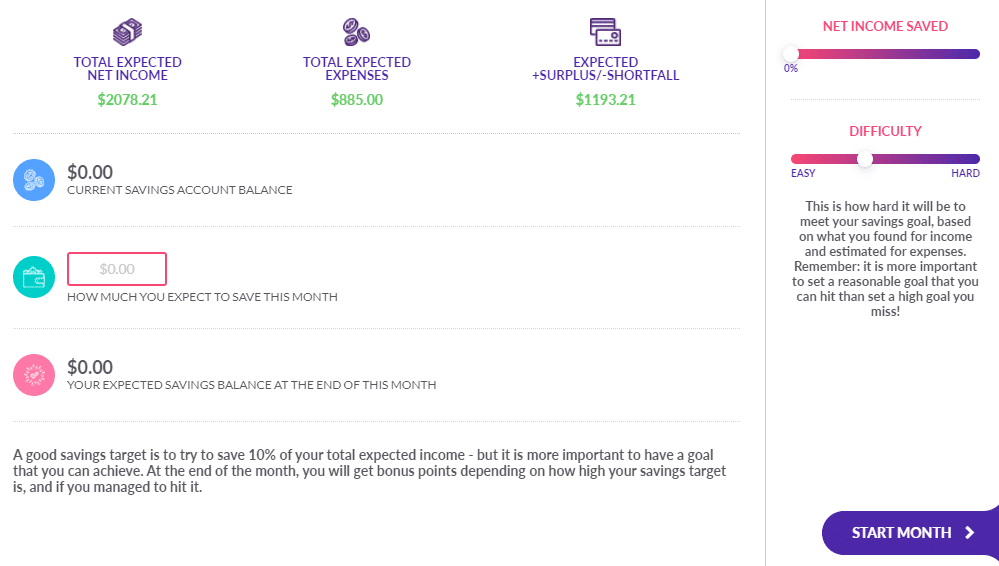
When students start the game, one of their first goals is to balance their expected income and expenses so they can set their first Savings Goal.
We give students most information, but they need to take a guess at how much they will spend on “Unplanned” expenses each month.
This is a key learning point – the first month will be a complete guess, but after a couple of months, students will see that small “impulse” and “last-minute” purchases add up quickly to be a major part of their spending!
First Learning Points – Pay Yourself First
Every month students also need to set their Monthly Savings Goal.
The secret is that we don’t care what their expected expenses are – to get the most points, students need to save at least 10% of their expected income.
This is a key tenant of the “Pay Yourself First” savings strategy, a foundation of the budget game.
First Learning Points – Quality of Life
When students start the game, they are also asked to make several lifestyle choices:
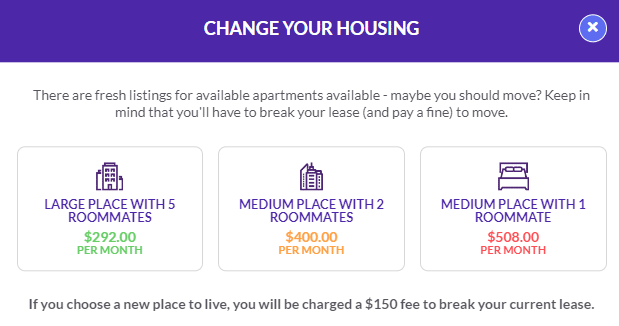
Where will they live? Crammed in with 5 roommates, or a nicer place with just 1 friend?
What kind of TV/Internet package do they want? Just the basics, or a full-service package?
How about their Cell Phone and data plan?
And how will they be feeding themselves? Lots of cheap ramen and pasta, or lots of eating out?
These choices have a big impact on their Quality of Life – more expensive options give students a better Quality of Life and bonus points, but make it harder to hit their savings goals.
Discussion Point
Every student will have different events through the game – try launching a class discussion on what were the biggest expenses students faced each month. How frequently would students expect each expense to happen in the real world?
First Month
As students progress through the first few months, the game will pause and prompt students to complete short lessons.
We cover Credit and Debit, Savings Goals, Emergency Funds, and other essentials students need to succeed in the game in the first month, and more general finance concepts as the game goes on.
Life Events
At the end of each term, they get a life event. There’s two major types of led events: Fixed Expenses and Choices.
Fixed Expenses
Students don’t get any choice in it.
Either they need to choose to pay for something on their debit or credit card, either they need to choose to pay for it or skip it.
Choices
The choice cards have a big impact on their quality of life. Taking the more expensive option usually gives students a lot more points on the Quality of Life throughout the game.
Example: Students need to choose either they want or not to pay for house insurance. If they choose to don’t pay for it, there is a chance to have a break in every month, costing them several hundred dollars.
Discussion Point
Every choice in the budget game matters. The “Life Events” that pop up through the game are somewhat determined by the choices students make as they play.
What happened to you this month? What did you do before that had an impact on this? What would you have changed to make this outcome better? You can discuss this with students since they can give a recap of what worked well and what they would have changed in the past.
Ending the First Month
At the end of the first month, students get a summary of their savings and expenses, along with their progress to their savings goal.
Hitting a savings goal of 10% or more of their income earns big bonus points.
Teacher Tips
Make sure to play at least the first month of the game together as a class
End the first month of a recap – what were unexpected expenses? How did students cope? What will they do differently next month?
Assessments
Building assessments around the budget game is a matter of art. You will get the most out of your students if you ask them to provide “Monthly Summaries” as written document – specify what went right, wrong, and what they plan to do to fix it.
Be sure to also use the Assignments built into PFinLab — these have quizzes with automatically-graded quizzes you can use for more objective grading!
The Next Months…
Students will build up their Credit Score and Emergency Fund for the first part of the game, with lessons along the way.
Keep students “paced” by completing assignments and quizzes, rather than hour-long blocks of just the game itself.
Students will build up their Credit Score and Emergency Fund for the first part of the game, with lessons along the way.
Keep students “paced” by completing assignments and quizzes, rather than hour-long blocks of just the game itself.
The Rankings
The Budget Game also has a ranking page, showing student rankings by Overall Score, Net Worth, Credit Score, and Quality of Life.
Pay attention and give students shout-outs – even students at the bottom of the list!
Graduation
After playing as a part-time student for a semester, students “Graduate” from school and start their first full-time job.
They will need to pick a new place to live and other settings (as they no longer have roommates), and now get a consistent 40-hours per week salary at a higher pay grade.
Key Learning Point
The starting salary students get when starting their full-time job depends on how much they “studied” when a student. Students who “studied” often get a bigger paycheck with their full-time job!
Full-Time Mode Differences
Bigger Bills – Students no longer have roommates, their bills all go up significantly
Bigger Paychecks – Students have a pay raise and work a steady 40-hours a week
Professional Development – Instead of studying, students can undertake “Professional Development” on the weekend (and raise their salary with enough of it)
New Bills – New “Student Loan” and “Health Insurance” bills to pay every month
Key Learning Point
On the weekend, “Study” becomes “Professional Development” – as every student in the modern economy should understand the importance of lifetime learning. Conducting “Professional Development” frequently leads to a raise at their job!
Other Full-Time Mode Differences
Once students start their full-time job, they will be faced with even more choices and long-term impacts than before.
Getting a pet? Expect to spend more at the grocery shop, and new vet bills pop up as Life Events… But also expect to boost your Quality of Life.
More emphasis on household expenses, insurance, and general “Adulting”
Key Learning Point
As students complete 6, 12, 18+ months of the game, most of the healthy financial habits should become second nature.
After 12 months, how many students have a full 840 credit score? Launch a class discussion with both the students at the top and bottom of the class rankings to identify what went right and wrong, and discuss the importance of establishing healthy habits early!
If you have used a stock game in your class before, you know the drill – you choose your class’s custom rules and starting cash (usually around $100,000), your students sign in, and they use that cash to build their portfolio that they manage over the course of a semester.
This might make sense to a professional fund manager who has a certain amount of assets, but is a far cry from how personal investors build their wealth over time. PersonalFinanceLab’s newest enhancement turns this system on its head with our new Weekly Deposits – the biggest thing to happen to stock games since stocks!
How It Works
With Weekly Deposits, you would start off your class with a relatively small amount of starting cash – say $100, $1000, or even $10,000.
Then every Sunday evening, your students get extra cash deposited into their account – as the teacher, you choose exactly how much.
This completely transforms a passive “Fund Manager” stock game into a true Personal Finance exercise. Just like the real world, students regularly add money into their portfolio, which they need to continually re-invest and re-balance, rather than passively holding a few stocks they purchased on the first day of your class game.
This matches how a small investor really builds their portfolio – one transfer at a time!
Using Weekly Deposits In Class
Weekly Deposits opens up a whole new world for ways to use the PersonalFinanceLab stock game in classes. Here’s a few scenarios to consider for your next semester:
The Junior Investor
When we ask for student feedback, one of the biggest downsides of a “$100k stock game” is that it is more money than the average student can really conceptualize. For Weekly Deposits, you can create a “Micro-Investor, Regular Saver” game!
Start students out with just $100 starting cash – putting a true limit on what they can invest
Set a weekly deposit of $100, to mimic students saving an extra $100 out of every paycheck for the duration of your class.
As your class stock game goes on, students will be able to afford different stocks, and need to rebalance their portfolio to adjust. Do they keep re-balancing to maintain diversification, or do they cash out all their Ford stock (around $8/share) to buy one share of Apple (around $120/share) after the first week?
The Career Saver
This scenario gives a bit more flexibility for students to build a diversified portfolio right off the bat.
Start students with $10,000 in starting cash, with our normal 25% position limit rules (students need at least 4 different stocks to use all their starting cash)
Deposit an additional $1000 cash each week. In the scenario for your students, this will be a “sped-up” monthly savings that they need to re-invest.
In this scenario, students need to continually re-balance their portfolio to stay diversified as their cash goes up. Do they keep investing in the same stocks they started with, or build up a wide portfolio of many holdings?
Budget Game Combo
The new Weekly Deposits also adds a great dimension for classes also using our Budget Game. By leveraging our Assignments, you can automatically credit students’ Stock Game accounts after they complete specific actions in the Budget Game, like completing a certain number of months or completing specific lessons in the Learning Center.
In our back-end, we adjust the Weekly Deposits by incrementing up the student’s starting cash balance. For the rankings, it means that the “percentage returns” are not distorted by the weekly deposits. However, classes that might be using more advanced rankings, such as Sharpe Ratio and Alpha/Beta, will see some distortion.
How To Get A Weekly Deposit Stock Game For Your Class
If your school already has a PersonalFinanceLab site license, “Weekly Deposits” are a new rule you’ll see right after choosing your Starting Cash Balance for your next stock game.
If your school does not yet have a PersonalFinanceLab site license, use the form below to get a quote!
[contact-form-7 id=”17909″ title=”Pfinlab Order Form”]
PersonalFinanceLab is a gamified platform that focuses on engaging students through interactive and experiential learning. The program has a Budget and Stock market game that allows students to learn while understanding the fundamentals of managing and investing money.
When focusing on money management, people tend to concentrate on either looking for ways to earn more money or cut costs to have more money. However, we sometimes overlook another essential aspect of money: the quality of life. An important part of money management is finding a healthy balance.
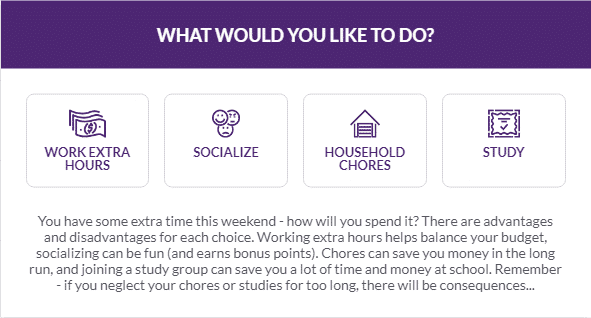
In the Budget Game, students need to make choices. To increase their disposable income, they may choose to work extra hours or choose to purchase cheaper options. Here is where our Quality of Life concept comes in. If students are always working, they may neglect their studies. If they are always socializing, they may not have enough money to pay their bills or keep on top of their school work. The Quality of Life score rewards players for choosing a balanced lifestyle between working, studying, spending time with friends, and looking at ways to cut costs and keep on top of household chores and tasks.
When discussing quality of life, we should not confuse this with standard of living. Standard of living refers to the level of wealth, comfort, material goods, and necessities available to someone. Quality of life, on the other hand, is a subjective term that can measure happiness.
Points to consider
Every $ saved from cutting coupons, looking for items on sale, reducing bills, etc. are fewer dollars that need to be earned.
Socializing does not mean always going to the mall and “hanging out” with friends. It could mean networking and widening your social circle to get an internship or future job.
Studying, learning a new skill or joining a club are always great to add as additional information on a resume.
Working extra hours could mean building reserves of money to cover future expected costs. It also means showing a good work ethic and being given additional responsibility and possible promotions.
Quality of Life Exercises
Sample activities:
In your own words, explain the difference between quality of life and standard of living.
When playing the Budget Game, you will be asked whether you want to work extra hours, socialize, complete household chores, or study. For each of these choices, explain the opportunity cost of choosing one over the other.
Apart from working extra hours, describe some activities that may help you increase your savings.
Regarding studies, are there any courses or skills you would like to develop or wish to try?
Regarding household chores, is there anything in your house that you could do to save money? It might be painting some walls, changing the decoration, etc.
If you had to spend time socializing, who or where should you go to improve your chances of getting an internship, future job, or improving your skills?
Want more examples? Check out our lesson plan library, or book a demo with our team to discuss how PFinLab can be used in your class!
Congratulations on playing our financial life simulation and completing all of our lessons. We now invite you to make the transition from the simulation accounts to real world accounts…
Congratulations! You will soon be graduating from college and negotiating your various job offers.
You have worked hard to graduate and you deserve a great paying job.
But as you start to negotiate your offers, keep in mind that you really should be considering the overall compensation package. Salary is important, but so are things like location and commute to work, your health insurance costs, your retirement plan, and many other benefits that are being offered these days.
Click on the image below to review 9 different benefits that you should consider when selecting a job offer.
This lesson is part of the PersonalFinanceLab curriculum library. Schools with a PersonalFinanceLab.com site license can get this lesson, plus our full library of 300 others, along with our budgeting game, stock game, and automatically-graded assessments for their classroom - complete with LMS integration and rostering support!
Whether we like it or not, April 15 comes every year and that means our Federal taxes are due.
The average taxpayer spends over 10 hours preparing their taxes.
To reduce the burden of getting organized and preparing your taxes, it is important to stay organized and know what documents and forms you will need to collect throughout the year.
Click on the image below to review the forms and documentation you will need to make the process go as smoothly as possible.
This lesson is part of the PersonalFinanceLab curriculum library. Schools with a PersonalFinanceLab.com site license can get this lesson, plus our full library of 300 others, along with our budgeting game, stock game, and automatically-graded assessments for their classroom - complete with LMS integration and rostering support!
A survey of the Class of 2019 showed that 69% had some form of a student loan.
While most student loans require you to start making payments within 6 months of graduation, there are certain instances where you can defer these payments.
Click on the image below to watch a brief video that explains the difference between loan deferment and loan forbearance. Even if you don’t have a student loan, it is important to understand the difference as it applies to most loans in general.
This lesson is part of the PersonalFinanceLab curriculum library. Schools with a PersonalFinanceLab.com site license can get this lesson, plus our full library of 300 others, along with our budgeting game, stock game, and automatically-graded assessments for their classroom - complete with LMS integration and rostering support!
It seems like a Catch-22. How can you start building your credit if you don’t have any credit to start with?
Well the truth is most banks will give college students and young adults a credit card with a very low credit limit. Then, if payments are made on time for the first few months, the bank will raise your credit limit and then you will be well on your way to building credit.
This helps you build your credit history which then helps to raise your credit score which then helps to lower the interest rate you will be charged on other loans you might get.
Click on the image below of the video to learn how to build your credit from scratch.
This lesson is part of the PersonalFinanceLab curriculum library. Schools with a PersonalFinanceLab.com site license can get this lesson, plus our full library of 300 others, along with our budgeting game, stock game, and automatically-graded assessments for their classroom - complete with LMS integration and rostering support!
Most studies show that over 70% of Americans own at least one credit card and carry it with them when they go shopping.
Other studies show that most Americans carry an average balance of $6,200 on their cards and pay interest every month, but they DON’T know what the interest rate is that they are being charged.
Nor do they understand how their payment plan impacts their credit score.
Click on the image below to reveal 7 FACTS that you should know about using credit cards.
This lesson is part of the PersonalFinanceLab curriculum library. Schools with a PersonalFinanceLab.com site license can get this lesson, plus our full library of 300 others, along with our budgeting game, stock game, and automatically-graded assessments for their classroom - complete with LMS integration and rostering support!
The first question you have to ask yourself when you are thinking of making a purchase is: “Do I NEED this or do I just WANT it?”
Stopping at your local coffee shop every day and spending $2.70 for coffee for 270 days a year adds up to $729 a year. And that’s not counting the gas and the time you take to drive to get that cup of coffee.
Saving money is easier than you think and you will learn from this video how to get started and you will see how quickly it starts to add up.
This lesson is part of the PersonalFinanceLab curriculum library. Schools with a PersonalFinanceLab.com site license can get this lesson, plus our full library of 300 others, along with our budgeting game, stock game, and automatically-graded assessments for their classroom - complete with LMS integration and rostering support!
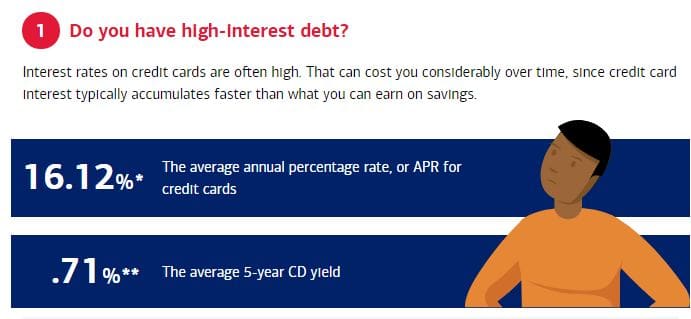
Here is one of the most common questions that people who are trying to get control over their finances ask: If I have a little extra cash, do I pay down debt or do I put the money in my savings account?
On one hand financial advisors tell us to stop paying high interest rates on our credit card balance.
But on the other hand they also tell us to make sure we have at least 3 to 6 months cash in our savings account (Emergency Fund).
So which is it?
The answer is easy, kind of.
Click on the image below to review 5 questions that will help you decided if you should pay down debt or save.
This lesson is part of the PersonalFinanceLab curriculum library. Schools with a PersonalFinanceLab.com site license can get this lesson, plus our full library of 300 others, along with our budgeting game, stock game, and automatically-graded assessments for their classroom - complete with LMS integration and rostering support!
Over time, our society moved away from paying for goods and services with gold and silver to paying for things with cash. In the last two decades, we have been transitioning from paying for things with cash to credit and debit cards.
While these 2 cards may look the same, their features and uses are very different.
Knowing the differences between them and knowing when to use them appropriately is an important part of personal banking.
Did you know using one builds up your credit score and the other doesn’t?
Did you know if someone steals your card you may have liability on one card but not the other?
Click on the image below to learn the differences between credit and debit cards in terms of how they work, how they affect your finances, and the inherent security of each.
This lesson is part of the PersonalFinanceLab curriculum library. Schools with a PersonalFinanceLab.com site license can get this lesson, plus our full library of 300 others, along with our budgeting game, stock game, and automatically-graded assessments for their classroom - complete with LMS integration and rostering support!
Hopefully by now you have a real checking account that you use to manage your monthly cash inflows and outflows.
But are you really using all the features that your checking account offers?
While there are lots of negatives associated with a checking account, likes ATM fees and overdraft charges, there are lots of really good features that they offer.
Are you using direct deposit for your paychecks?
Are you able to move money easily between your checking and your savings account?
Do you get alerts when your balances are low?
Click on the image below to review these 8 Tips to Get the Most Out of Your Checking Account.
This lesson is part of the PersonalFinanceLab curriculum library. Schools with a PersonalFinanceLab.com site license can get this lesson, plus our full library of 300 others, along with our budgeting game, stock game, and automatically-graded assessments for their classroom - complete with LMS integration and rostering support!
Now that you are getting used to managing your checking, savings and credit card accounts as part of this virtual platform, it is time you think about opening real banking accounts.
But where do you begin?
What questions do you need to ask a bank to make sure you are getting the right accounts for you?
Click on the image below to learn about the 10 Questions To Ask A Bank When Opening a New Account.
This lesson is part of the PersonalFinanceLab curriculum library. Schools with a PersonalFinanceLab.com site license can get this lesson, plus our full library of 300 others, along with our budgeting game, stock game, and automatically-graded assessments for their classroom - complete with LMS integration and rostering support!
As you learn to save, become more aware of your personal finances, you will find yourself accessing your checking, savings, and credit card accounts more and more.
While most banks and credit card companies are willing to open up accounts for you for free, keep in mind that every company has to make money some how. So be aware of the various fees that your bank might charge you.
The common fees are usually when you do something wrong, like bounce a check or use the ATM too many times in a month.
But beware of other fees for just using some services that you assumed were free.
Click on the image below to learn about 7 Common Bank Fees.
This lesson is part of the PersonalFinanceLab curriculum library. Schools with a PersonalFinanceLab.com site license can get this lesson, plus our full library of 300 others, along with our budgeting game, stock game, and automatically-graded assessments for their classroom - complete with LMS integration and rostering support!
As you learn to save and become more aware of your personal finances, you will find yourself accessing your checking, savings, credit cards and other accounts online or via your mobile phone.
This means bookmarking your banks URLs, installing their mobile apps on your phone, and inevitably the hassle of remembering all of your logins and passwords.
While it is extremely important that you monitor your finances online, it is also important that you are careful and that you safeguard your private information and report any suspicious activity.
Click on the image below to learn 10 Important Online and Mobile Security Tips to follow.
This lesson is part of the PersonalFinanceLab curriculum library. Schools with a PersonalFinanceLab.com site license can get this lesson, plus our full library of 300 others, along with our budgeting game, stock game, and automatically-graded assessments for their classroom - complete with LMS integration and rostering support!
Once you get in the habit of saving money each month, the next question is where exactly to you put the money you are saving?
The obvious choices are to keep it in cash in your piggy bank at home or put it in a bank account.
Well here is a secret… Instead of keeping your cash stashed in your piggy bank, you might as well have the bank PAY YOU INTEREST on your savings balance.
Consider the following quote from Albert Einstein…
The bank will give you several options that pay you interest. Generally the quick options are to open a Savings Account or to put your cash in a Certificate of Deposit (CD).
Click on the image below to learn the pros and cons of each.
This lesson is part of the PersonalFinanceLab curriculum library. Schools with a PersonalFinanceLab.com site license can get this lesson, plus our full library of 300 others, along with our budgeting game, stock game, and automatically-graded assessments for their classroom - complete with LMS integration and rostering support!
We have all heard the saying from Benjamin Franklin that “a penny saved is a penny earned.”
But it seems that it is just so much easier to SPEND money than it is to SAVE money.
So how do we get started saving money?
Ahh….. That is the hard part…….getting started.
Click on the image below to read a great article that gives you 8 key points to help you start saving money immediately, to help you establish short-term and long-term goals, and to help you pick the right tools to save.
This lesson is part of the PersonalFinanceLab curriculum library. Schools with a PersonalFinanceLab.com site license can get this lesson, plus our full library of 300 others, along with our budgeting game, stock game, and automatically-graded assessments for their classroom - complete with LMS integration and rostering support!
At some point in your life you might find yourself in a situation where you need some cash quickly.
For example, you might have a doctor bill you need to pay. Or you might need to get your car repaired so you can get to work or you might have a rent bill or a tuition bill coming due.
If you don’t have any savings in an emergency fund, what would you do?
It is a situation that you hope you never find yourself in, but inevitably most of us do.
Click on the image below to read a great article that summarizes your choices, and the risk associated with each of those choices.
Pay attention to the left hand column that shows the progression from the “Lower Risk” to “Higher Risk” choices. A short Pop Quiz follows below the article.
This lesson is part of the PersonalFinanceLab curriculum library. Schools with a PersonalFinanceLab.com site license can get this lesson, plus our full library of 300 others, along with our budgeting game, stock game, and automatically-graded assessments for their classroom - complete with LMS integration and rostering support!
Congratulations on playing our financial life simulation and completing all of our lessons. We now invite you to make the transition from the simulation accounts to real world accounts…
Where are you on your financial journey?
We’re ready to give you personalized, face to face guidance in a safe environment* at a time and location that works for you. Our specialists can help you with more education and resources. We’re just a click away…
You can speak to a specialist at a time that works for you…
or save this page as a Favorite so you can review it later.
If you want to learn more about finances, technology and tools to help you where you are in your journey, we have a dedicated student resource page for you. Visit the student resource page by clicking here.
*Our top priority is to ensure the health and safety of our teammates and clients at each location. We have taken proactive steps to enhance cleaning procedures to limit the risk of exposure, based on guidelines from the Centers for Disease Control (CDC), and follow local restrictions on the number of clients that can enter at one time.
Whether we like it or not, April 15 comes every year and that means our Federal taxes are due.
The average taxpayer spends over 10 hours preparing their taxes.
To reduce the burden of getting organized and preparing your taxes, it is important to stay organized and know what documents and forms you will need to collect throughout the year.
Click on the image below to review the forms and documentation you will need to make the process go as smoothly as possible.
This lesson is part of the PersonalFinanceLab curriculum library. Schools with a PersonalFinanceLab.com site license can get this lesson, plus our full library of 300 others, along with our budgeting game, stock game, and automatically-graded assessments for their classroom - complete with LMS integration and rostering support!
Congratulations! You will soon be graduating from college and negotiating your various job offers.
You have worked hard to graduate and you deserve a great paying job.
But as you start to negotiate your offers, keep in mind that you really should be considering the overall compensation package. Salary is important, but so are things like location and commute to work, your health insurance costs, your retirement plan, and many other benefits that are being offered these days.
Click on the image below to review 9 different benefits that you should consider when selecting a job offer.
This lesson is part of the PersonalFinanceLab curriculum library. Schools with a PersonalFinanceLab.com site license can get this lesson, plus our full library of 300 others, along with our budgeting game, stock game, and automatically-graded assessments for their classroom - complete with LMS integration and rostering support!
A survey of the Class of 2019 showed that 69% had some form of a student loan.
While most student loans require you to start making payments within 6 months of graduation, there are certain instances where you can defer these payments.
Click on the image below to watch a brief video that explains the difference between loan deferment and loan forbearance. Even if you don’t have a student loan, it is important to understand the difference as it applies to most loans in general.
This lesson is part of the PersonalFinanceLab curriculum library. Schools with a PersonalFinanceLab.com site license can get this lesson, plus our full library of 300 others, along with our budgeting game, stock game, and automatically-graded assessments for their classroom - complete with LMS integration and rostering support!
If you have done your “rent a house” vs. “buy a house” analysis and you have decided to buy a house, your next thought should be “how much can I afford to borrow to buy my house?”
The answer is easy—it depends! 🙂
It depends on a lot of factors, so click on the image below so you can learn what factors impact how much you can borrow and how big of a monthly mortgage payment you could afford.
This lesson is part of the PersonalFinanceLab curriculum library. Schools with a PersonalFinanceLab.com site license can get this lesson, plus our full library of 300 others, along with our budgeting game, stock game, and automatically-graded assessments for their classroom - complete with LMS integration and rostering support!
Once you have settled down after college and decided where you plan to live for a few years, you will be faced with the question: Should I continue renting or should I buy a house?
While there can be lots of pride in home ownership, it is not without hits drawbacks.
The following video walks you through the benefits and drawbacks of each option.
Click on the video image below to watch the short video.
This lesson is part of the PersonalFinanceLab curriculum library. Schools with a PersonalFinanceLab.com site license can get this lesson, plus our full library of 300 others, along with our budgeting game, stock game, and automatically-graded assessments for their classroom - complete with LMS integration and rostering support!